
signup
Enter your email address and receive all updates!
HP Officejet Pro 7740 Ink Cartridges
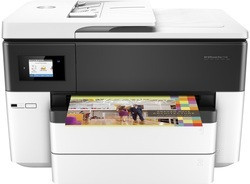
The following HP Ink Cartridges are guaranteed to work in your HP Officejet Pro 7740 printer
-

IJT Recycled HP 953XL High Capacity 4 Ink Cartridge Multipack
IJT
SKU: 155124
- Up to a 5 year shelf life
- Save £££ against original HP ink
- 5 Year Warranty
- Buy recycled, it's better for the environment
Page Yields
-
2000 Pages
-
1450 Pages
-
1450 Pages
-
1450 Pages
£86.63In Stock -
IJT Recycled HP Black Ink Cartridge 957XL L0R40AE
IJT
SKU: 155123
- Up to a 5 year shelf life
- Save £££ against original HP ink
- Buy recycled, it's better for the environment
- 5 Year Warranty
Page Yields
-
3000 Pages
£36.99In Stock -
IJT Recycled HP High Capacity Black Ink Cartridge 953XL L0S70AE
IJT
SKU: 155119
- Up to a 5 year shelf life
- Save £££ against original HP ink
- Buy recycled, it's better for the environment
- 5 Year Warranty
Page Yields
-
2000 Pages
£24.99In Stock -
IJT Recycled HP High Capacity Cyan Ink Cartridge 953xl F6U16AE
IJT
SKU: 155120
- Up to a 5 year shelf life
- Save £££ against original HP ink
- Buy recycled, it's better for the environment
- 5 Year Warranty
Page Yields
-
1450 Pages
£21.99In Stock -
IJT Recycled HP High Capacity Magenta Ink Cartridge 953XL F6U17AE
IJT
SKU: 155121
- Up to a 5 year shelf life
- Save £££ against original HP ink
- Buy recycled, it's better for the environment
- 5 Year Warranty
Page Yields
-
1450 Pages
£21.99In Stock -
IJT Recycled HP High Capacity Yellow Ink Cartridge 953XL F6U18AE
IJT
SKU: 155122
- Up to a 5 year shelf life
- Save £££ against original HP ink
- Buy recycled, it's better for the environment
- 5 Year Warranty
Page Yields
-
1450 Pages
£21.99In Stock
IJT Recycled HP Officejet Pro 7740 Ink Cartridges



-
HP 953XL High Capacity 4 Ink Cartridge Multipack 3HZ52AE Original
HP
SKU: 89771
- Long shelf life
- Genuine HP ink
- Manufacturer Warranty
Page Yields
-
2000 Pages
-
1450 Pages
-
1450 Pages
-
1450 Pages
£172.24In Stock -
HP High Capacity Black Ink Cartridge 953XL L0S70AE
HP
SKU: 88316
- Long shelf life
- Genuine HP ink
- Manufacturer Warranty
Page Yields
-
2000 Pages
£54.47In Stock -
HP Black Ink Cartridge 953 L0S58AE
HP
SKU: 88312
- Long shelf life
- Genuine HP ink
- Manufacturer Warranty
Page Yields
-
1000 Pages
£35.65In Stock -
HP High Capacity Cyan Ink Cartridge 953XL F6U16AE
HP
SKU: 88317
- Long shelf life
- Genuine HP ink
- Manufacturer Warranty
Page Yields
-
1450 Pages
£39.29In Stock -
HP Cyan Ink Cartridge 953 F6U12AE
HP
SKU: 88313
- Long shelf life
- Genuine HP ink
- Manufacturer Warranty
Page Yields
-
700 Pages
£23.71In Stock -
HP High Capacity Magenta Ink Cartridge 953XL F6U17AE
HP
SKU: 88318
- Long shelf life
- Genuine HP ink
- Manufacturer Warranty
Page Yields
-
1450 Pages
£39.29In Stock -
HP Magenta Ink Cartridge 953 F6U13AE
HP
SKU: 88314
- Long shelf life
- Genuine HP ink
- Manufacturer Warranty
Page Yields
-
700 Pages
£23.71In Stock -
HP High Capacity Yellow Ink Cartridge 953XL F6U18AE
HP
SKU: 88319
- Long shelf life
- Genuine HP ink
- Manufacturer Warranty
Page Yields
-
1450 Pages
£39.29In Stock -
HP Yellow Ink Cartridge 953 F6U14AE
HP
SKU: 88315
- Long shelf life
- Genuine HP ink
- Manufacturer Warranty
Page Yields
-
700 Pages
£23.71In Stock
Original HP Officejet Pro 7740 Ink Cartridges

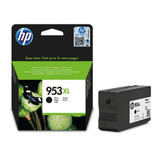


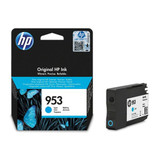
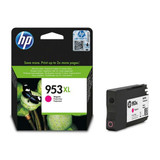

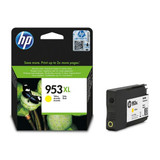

HP Officejet Pro 7740 HP 953 ink cartridges:
We sell the best quality printer ink cartridges for the HP Officejet Pro 7740 inkjet printer. All covered by a 5 year warranty backed up by friendly customer support and advice. If you are looking for cheap printer inks online without jeopardising print quality, buy your HP ink cartridges direct with IJT.
High capacity HP Ink Cartridges that fit the HP Officejet Pro 7740 printer include:
HP 953XL Black High Capacity Ink Cartridge L0S70AE
HP 953XL Cyan High Capacity Ink Cartridge F6U16AE
HP 953XL Magenta High Capacity Ink Cartridge F6U17AE
HP 953XL Yellow High Capacity Ink Cartridge F6U18AE
Standard capacity HP Ink cartridges for the HP 7740:
HP 953 Black Ink Cartridge L0S58AE
HP 953 Cyan Ink Cartridge F6U12AE
HP 953 Magenta Ink Cartridge F6U13AE
HP 953 Yellow Ink Cartridge F6U14AE
HP 953 Multipack Ink for the HP OfficeJet Pro 7740:
HP 953XL High Capacity 4 Ink Cartridge Multipack 3HZ52AE
HP 953 4 Ink Cartridge Multipack 6ZC69AE
A bit about the HP Officejet Pro 7740 printer specifications:
In our view, the HP 7740 is a great, all round business machine. An A3 printer with multifunction specifications and upto 4800 x 1200 dpi print. Print, scan, copy & fax with this HP all-in-one 7740 printer. Users can print quickly with upto 34 pages per minute print speeds in both black & full colour, you can even get your first page out in as fast as 10 seconds. Usb, network & wireless connectivy makes sure you have all the bases covered with this superb printer. It's also Windows & Mac compatible ensuring you can use it with almost any device. A 250 sheet paper tray ensure your printer is always ready to print. With the finishing touches being automatic double sided printing. What more could you aks for from this stunning offering from HP?
What printer cartridges does the Hewlett Packard Officejet Pro 7740 use?
The HP OfficeJet Pro 7740 uses HP 953 ink cartridges these are individual Black, Cyan, Magenta and Yellow inks coming in both standard and high capacity with our IJT Direct branded inks available in the higher capacity. HP 953 cartridge standard inks can print up to 1000 pages from the black cartridge and 700 from each of the colour cartridges, whereas the HP 953 XL high capacity inks can print up the 1600 pages per cartridge. This is based on 5% coverage of an A4 page.
HP OfficeJet Pro 7740 Printer Review
Our expert review of the HP OfficeJet Pro 7740 printer
Our expert analysis & summary:
The HP 7740 is an excellent home and office A3 printer according to our in-house printer experts; it can print, copy and scan all up to tabloid size (11’ by 17’) as well as fax. Despite the larger media size the OfficeJet Pro 7740 produces excellent quality prints, it is capable of printing resolutions up to 4800 x 1200dpi at fast speeds.
Our thoughts on Design
The OfficeJet 7740 has a white case with a black band across the front which houses a 6.75cm LCD touch screen with a touch sensitive border. All print jobs can be viewed and managed through this interface. There is both a flatbed scanner and a 35 sheet ADF to be used for long multipage scanning jobs. The Officejet Pro 7740 has an impressive maximum paper capacity of 500 sheets of plain paper which are stored in 2 front loaded paper tray, each with a capacity of 225 sheets.
Main Printer Advantages
As mentioned the Officejet Pro 7740 has fast printing speeds, it is capable of producing up to 34 prints per minute of both colour and mono prints, this is fast for any standard multifunction printer let alone one that supports A3 media. Another feature making this a good office printer is the large paper capacity of 500 sheets so the paper will rarely have to be refilled, more office-centric features which make this machine stand out are the Automatic duplexer which simplifies producing double sided print outputs and the scanner automatic document feeder which can independently load and scan both single and double sided documents.
Main Printer Disadvantages
The main drawback to the HP Officejet Pro 7740 is the size; the large capacity paper trays and A3 media support give this printer a large footprint with dimensions of 584 x 466.9 x 383.3 mm (WxDxH) and a weight of 19.5kg.
Running costs - Are the inks good value for money?
Overall we think the Officejet Pro 7740 has good running costs, the individual colour inks already make this printer a lot cheaper to run than other inkjets which use a 2 system with a tri-colour cartridge. Heavy print loads will still mean you spend quite a lot on replacement inks, especially when using original Hp cartridges, you can reduce these costs by using out IJT branded recycled cartridges which are excellent quality and available in high capacities at low prices. Remember buy from IJT, the best printer ink in Britain!
What our customers are saying
View all ›Applied: