
The Best Colour Laser Printers for Home & Office 2024 in The UK
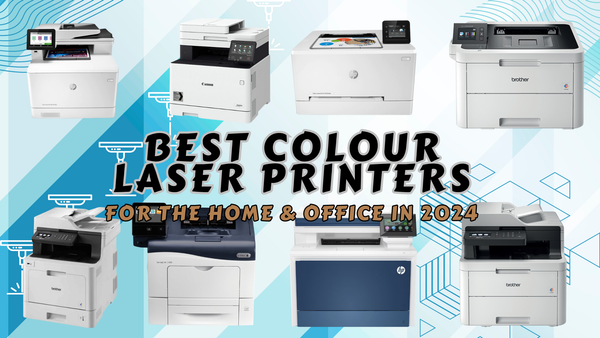
When it comes to selecting the best colour laser printer for your home or office, there are a few important factors to consider. A top-notch printer will easily integrate into your workspace, minimise downtime, and enhance productivity.
What Makes the Best Colour Laser Printer for Home & Office?
Okay so there are a few key features that I believe make a colour laser printer really good:
Print Speed: Essential for maintaining efficiency in a busy office. Look for printers with high pages-per-minute (ppm) ratings to ensure quick turnaround times for large documents.
Text Resolution: High-resolution printing is crucial for producing sharp and clear text, which is often more important than image quality in an office setting.
Diverse Connectivity: Multiple connectivity options, including Wi-Fi, Ethernet, USB, and mobile printing capabilities, ensure that everyone in the office can easily print from their devices.
Multifunctionality: Features like scanning, copying, and faxing are vital for most offices. An automatic document feeder (ADF) and duplex printing enhance these capabilities.
Top Eight Best Colour Laser Printers for 2024
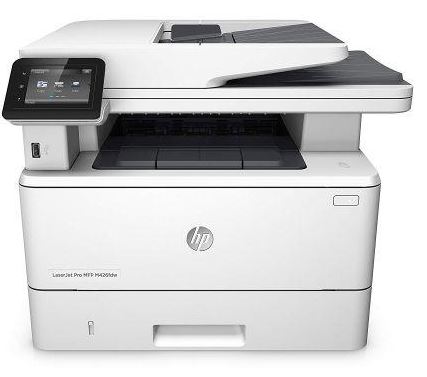
HP Color LaserJet Pro MFP M479fdw
Overview
I have to say the HP Color LaserJet Pro MFP M479fdw is a standout choice for both home and office environments. It's not just a printer—it's a versatile workhorse that handles printing, scanning, copying, and faxing with ease.
It’s easy to tell this thing was designed to boost productivity, as this machine is packed with features that make office tasks a breeze.
Pros
- High-Speed and Quality Printing: Great for high-demand environments needing quick, high-quality prints.
- Comprehensive Security: Keeps your data safe and secure.
- Versatile Connectivity: Offers various ways to connect and print.
- Multifunction Capability: A true all-in-one device for printing, scanning, copying, and faxing.
- Large Paper Capacity: Reduces the frequency of paper refills.
Cons
- Cost: It’s a bit pricier upfront compared to some other models.
- Larger Footprint: Takes up more space, which might be an issue for smaller desks.
- Higher Maintenance Costs: The built-in drum in the toner cartridge can lead to higher maintenance costs over time compared to printers with separate drums.
Specifications
- Dimensions: 416 x 472 x 400 mm
- Weight: 23.4 kg
- Monthly Duty Cycle: Up to 50,000 pages
- Toner Yield: HP toner cartridges yield up to 7,500 pages from the black and up to 5,500 pages from the colour toners.
Why I Chose It
From a personal point of view, I picked the HP M479fdw because it strikes a perfect balance between performance, reliability, and value. It’s fast, efficient, and the print quality is top-notch.
The duplex printing feature not only saves time but also helps cut down on paper use, which is a nice eco-friendly bonus.
What really sealed the deal for me was its multifunctionality. Being able to print, scan, copy, and fax all from one machine simplifies everything and saves space. Plus, the connectivity options are fantastic—you can print from pretty much any device, anywhere.
Security was another big factor. The comprehensive security features give me peace of mind that sensitive data is well-protected. And with its large paper capacity, I spend less time refilling trays and more time getting work done.
Brother MFC-L8690CDW A4 Colour
Overview
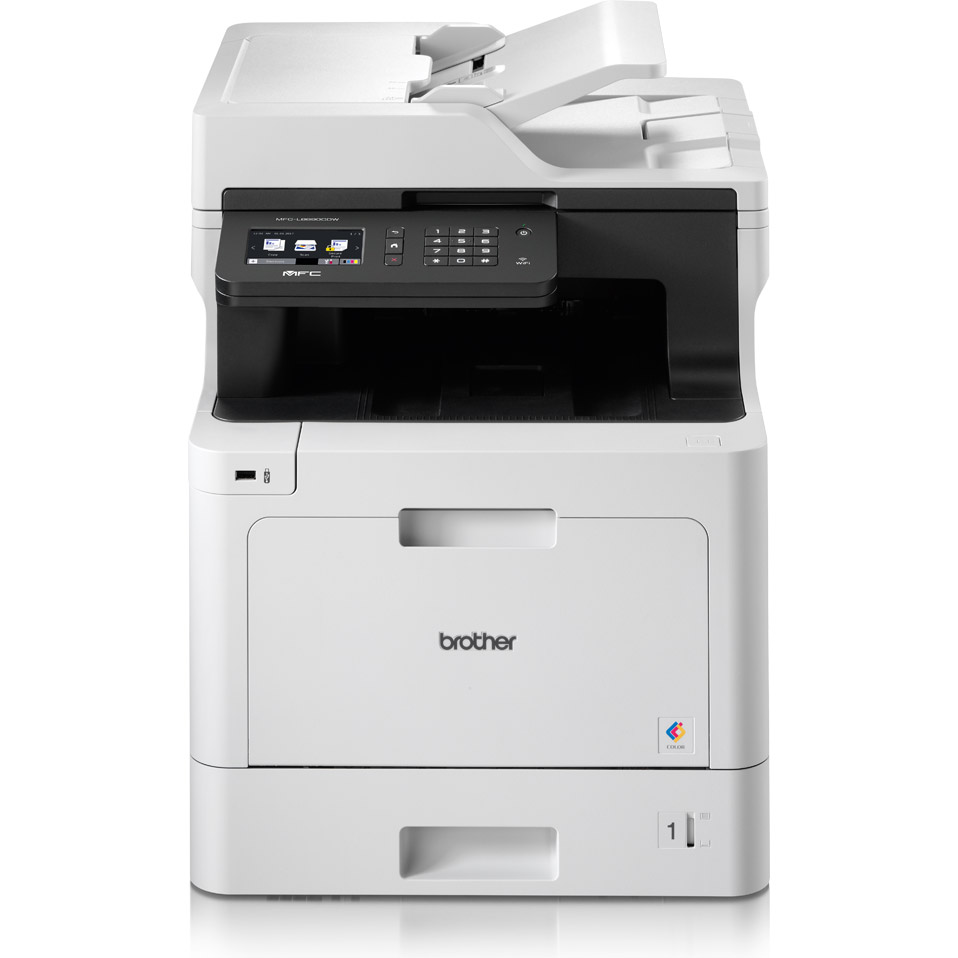
If you’re on the hunt for a reliable, do-it-all printer that won't break a sweat under pressure, the Brother MFC-L8690CDW is your best bet. Perfect for small to medium-sized offices, this machine handles everything from printing and scanning to copying and faxing, making it a true office workhorse.
Pros
- Speedy Printing: It's fast, which is perfect for when you need to crank out documents in a hurry.
- Great Print Quality: Produces crisp, clear documents that look top-notch.
- Multiple Connectivity Options: Gives you the flexibility to print from virtually any device.
Cons
- Expensive OEM Toner: Buying the toner can become quite expensive; therefore it’s best to buy recycled Brother toner cartridges to overcome this issue.
- Complicated Set-up: The initial setup can be a bit of a head-scratcher, though the manual is very helpful if you take the time to follow it.
Specifications
- Dimensions: 435 x 526 x 539 mm
- Weight: 27.9 kg
- Monthly Duty Cycle: Up to 40,000 pages per month, so bring on the heavy-duty tasks.
- Toner Yield: Black toner yields up to 6,500 pages, and colour toner yields up to 4,000 pages.
Why I Chose It
I picked the Brother MFC-L8690CDW because it’s like the Swiss Army knife of printers—fast, versatile, and built to last.
It keeps up with the demands of a busy office, producing high-quality prints at breakneck speeds. The multifunctional capabilities mean you can scan, copy, and fax all from one device, saving space and reducing clutter.
The multiple connectivity options are a big plus, letting you print from any device, anywhere. Sure, the setup might be a bit tricky at first, but the manual guides you through it step by step. And with its robust security features, you can rest easy knowing your sensitive information is protected.
Brother MFC-L3710CW A4 Colour
Overview
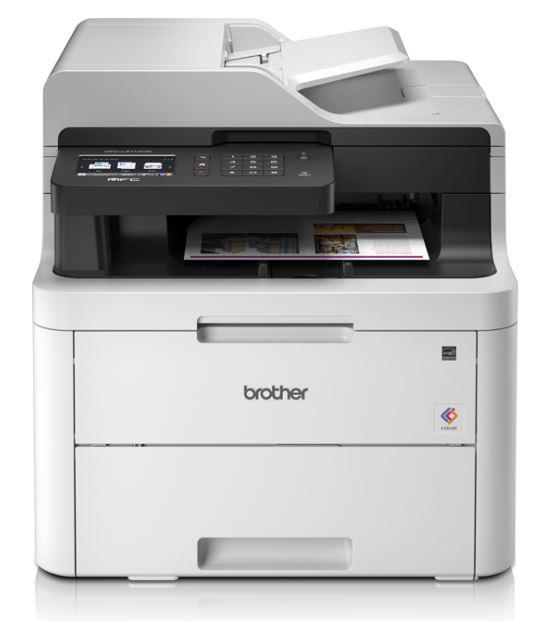
The Brother MFC-L3710CW is a compact and wallet-friendly colour laser printer that's perfect for home offices or small workspaces. It’s a jack-of-all-trades, handling printing, scanning, copying, and faxing without breaking a sweat.
Pros
- Compact Design: Fits snugly in small office spaces without making you feel cramped.
- User-Friendly: The 3.7 inch colour touchscreen and intuitive controls make it easy enough for even the least tech-savvy among us.
- Affordable: Priced right for budget-conscious users, making it a steal for what it offers.
Cons
- Slower Print Speeds: At 19 ppm, it’s not winning any speed races, which might be a downside for high-volume printing tasks.
- No Automatic Duplex Printing: If you need double-sided prints, you’ll have to flip the pages yourself.
Specifications
- Dimensions: 410 x 475 x 414 mm
- Weight: 18.3 kg
- Monthly Duty Cycle: Up to 30,000 pages, making it durable enough for regular use.
- Toner Yield: Black toner yields up to 3,000 pages, and colour toner yields up to 2,300 pages.
Why I Chose It
I am confident picking the Brother MFC-L3710CW because it’s not too big, not too expensive, user friendly, has high capacity recycled Brother toner cartridges available and is just right for everyday office tasks. It’s perfect for small spaces and tight budgets but doesn’t skimp on essential features.
Sure, it’s not the fastest printer out there, but it delivers high-quality prints and offers versatile connectivity options, making it a reliable partner in crime for your daily tasks.
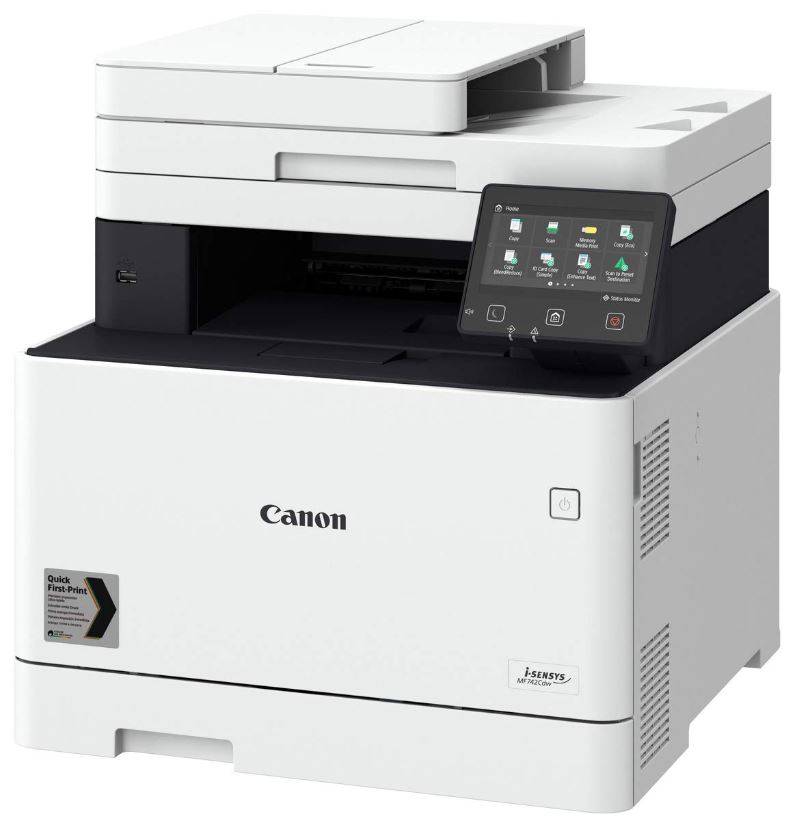
Canon i-SENSYS MF742Cdw
Overview
The Canon i-SENSYS MF742Cdw is a top-notch colour laser printer that excels in delivering high-quality prints and versatile multifunction capabilities. It's an excellent choice for home and office use, offering reliability and efficiency in one compact device.
Pros
- Print Quality: Produces professional-quality documents, ideal for business use.
- User-Friendly Interface: The large, intuitive touch screen makes it easy to navigate through various functions.
- Robust Build: Designed to withstand the demands of frequent use, ensuring long-term reliability.
Cons
- Noisy Operation: It can be a bit loud during operation, which might be distracting in quieter settings.
- Larger Footprint: Takes up more desk space compared to some other models, so plan your setup accordingly.
Specifications
- Dimensions: 471 x 469 x 460 mm
- Weight: 26.7 kg
- Monthly Duty Cycle: Can handle up to 50,000 pages, making it suitable for heavy-duty printing needs.
- Toner Yield: Canon toner cartridges provide up to 9,000 pages on the black and up to 7,000 pages on the individual colour toners.
Why I Chose It
The Canon i-SENSYS MF742Cdw stands out for its blend of speed, quality, and multifunctionality. It’s a great fit for those who need a reliable printer that can also scan, copy, and fax.
The user-friendly touchscreen and robust build quality add to its appeal, making it a smart investment for any office. Despite its larger size and noisier operation, the efficiency and high-quality output it provides make these minor inconveniences worth it.
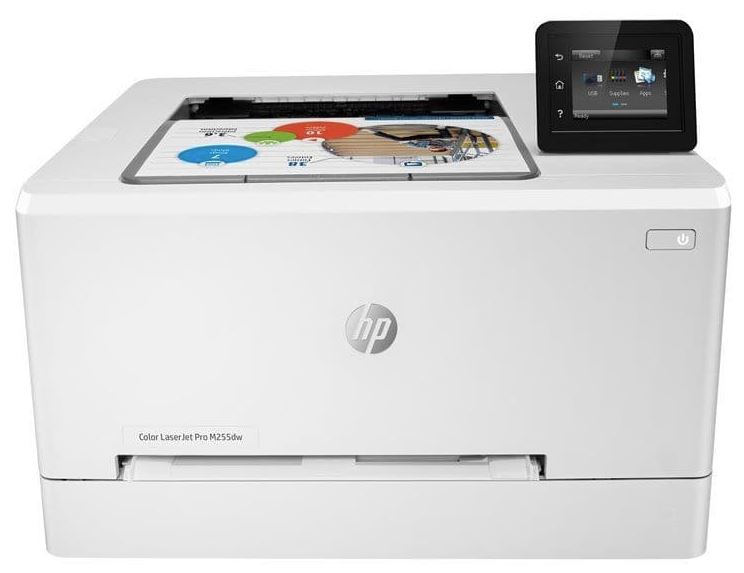
HP Color LaserJet Pro M255dw
Overview
The HP Color LaserJet Pro M255dw is a compact and efficient printer, perfect for small offices or home use. It's designed to handle your everyday printing needs with ease, delivering high-quality output and versatile connectivity options.
Pros
- Compact Design: This printer fits snugly into smaller spaces, making it perfect for home offices or cosy workspaces.
- Excellent Print Quality: Produces high-quality text and graphics, ensuring your documents look professional.
- Easy Setup and User-Friendly: The intuitive touchscreen and straightforward setup process mean you’ll be up and running faster than you can say “print.”
Cons
- Limited Functionality: It’s a print-only device, so if you need to scan, copy, or fax, you’re out of luck.
- Limited Paper Handling: Compared to some bigger models, it has a lower paper capacity, which might not cut it for very high-volume printing needs
Specifications
- Dimensions: 392 x 297 x 297 mm
- Weight: 14.8 kg
- Monthly Duty Cycle: Up to 50,000 pages, making it suitable for heavy-duty use.
- Toner Yield: Black HP toner cartridges yields up to 2,500 pages, and colour HP toner cartridge yields up to 1,400 pages
Why I Chose It
To tell the truth I picked the HP Color LaserJet Pro M255dw because it’s the Goldilocks of printers: just right. It combines compact design, ease of use, and high-quality output, making it perfect for those who need reliable, high-quality prints without any extra bells and whistles.
The variety of connectivity options is the cherry on top, making it easy to integrate into any setup. Plus, the user-friendly touchscreen simplifies the whole printing process—no need to call IT for help.
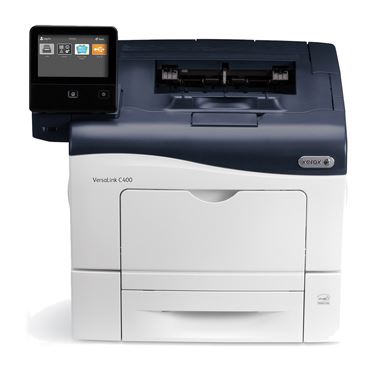
Xerox VersaLink C400DN
Overview
The Xerox VersaLink C400DN is a reliable and high-performing printer, perfect for businesses. It’s designed to handle the demands of a busy office, ensuring you get your documents printed quickly and professionally.
Pros
- Fast Print Speed: At 36 ppm, it’s perfect for high-demand environments where speed is of the essence.
- Excellent Colour Accuracy: Produces vibrant and accurate colours, ensuring your documents look top-notch.
- Robust Security Features: Keeps your sensitive data safe with advanced security options.
Cons
- Higher Initial Cost: It’s a bit pricier compared to some other models, but you get what you pay for in terms of performance and reliability.
- Bulky Design: This printer is not lightweight; it requires ample desk space, so make sure you have room for it.
Specifications
- Dimensions: 491 x 488 x 399 mm
- Weight: 28 kg
- Monthly Duty Cycle: Up to 80,000 pages, making it ideal for heavy-duty use.
- Toner Yield: Xerox toner cartridges can print up to 10,500 pages from the black toners and up to 8,000 pages on the individual colour toners.
Why I Chose It
Okay so I picked the Xerox VersaLink C400DN because it’s a real workhorse that can keep up with the demands of a busy office. Its high-speed printing and excellent colour accuracy make it perfect for producing professional documents quickly.
The robust security features give me peace of mind that sensitive information is well-protected. Sure, it takes up a bit more space and costs more upfront, but the performance and reliability make it worth every penny.
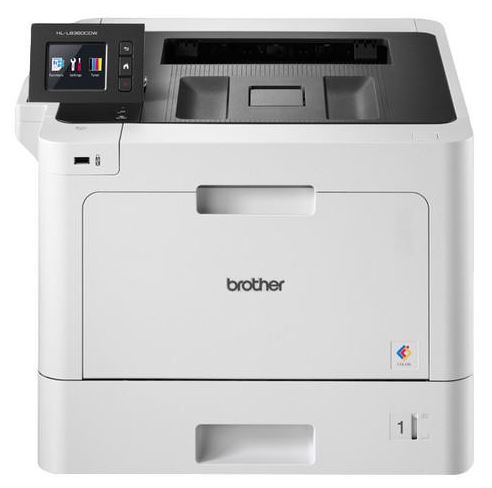
Brother HL-L3270CDW
Overview
The Brother HL-L3270CDW is a compact and efficient printer, perfect for small offices or home environments that need high-quality colour prints. It’s designed to be a reliable printer that fits neatly into tight spaces without compromising on performance.
Pros
- Compact Size: A small footprint means it fits well in tight office spaces, perfect for those who need to maximise their workspace.
- Excellent Print Quality: Produces high-quality text and graphics, ensuring your documents always look top-notch.
- Wireless Printing Capabilities: Print from anywhere in your office without being tethered by cables.
<h4cons< h4=""></h4cons<>
Cons
- No Multifunction Capabilities: This is a print-only device, so if you need scanning, copying, or faxing, you’ll need a separate machine.
- Limited Paper Handling: With only a 250-sheet input tray, it might not be sufficient for very high-volume printing needs.
Specifications
- Dimensions: 439 x 461 x 252 mm
- Weight: 18 kg
- Monthly Duty Cycle: Up to 30,000 pages, making it suitable for regular use in a busy office.
- Toner Yield: Black Brother toner cartridges print up to 3,000 pages, and the colour toner yields up to 2,300 pages.
Why I Chose It
The Brother HL-L3270CDW is a great pick because it hits the sweet spot for compact size and high-quality output. It’s perfect for small offices or home setups where space is at a premium but you still need reliable, high-quality prints.
The variety of connectivity options is a big plus, allowing for flexible setup and easy integration into your existing network. And while it’s a print-only device, it excels in that role, making it a dependable choice for everyday printing needs.
HP Color LaserJet Pro MFP 4302fdw
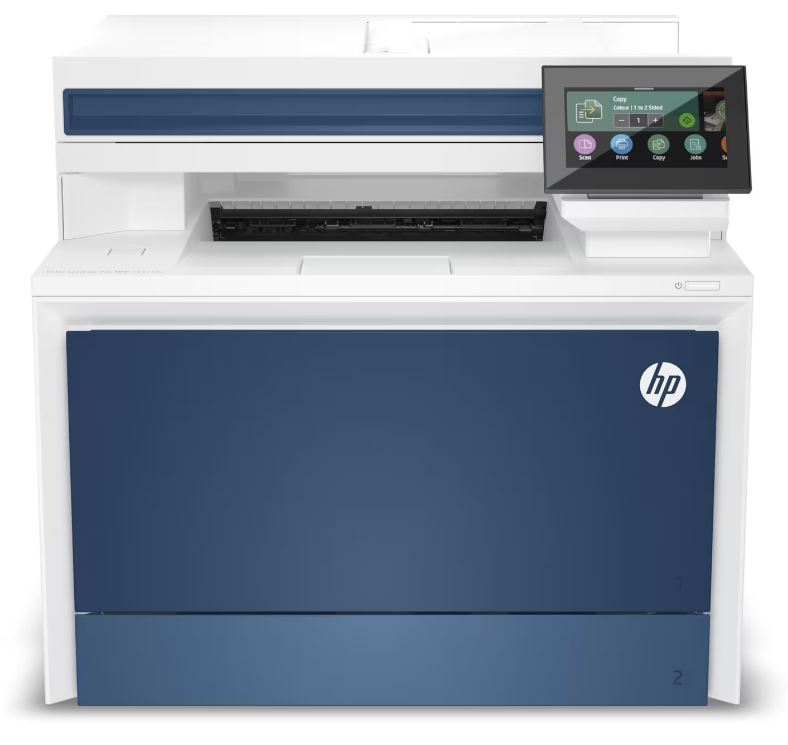
Overview
The HP Color LaserJet Pro MFP 4302fdw is a high-performance all-in-one printer, perfect for businesses that need professional-quality prints and a suite of multifunction capabilities. This device is designed to handle the demands of a bustling office environment, ensuring your documents look sharp and vibrant.
Pros
- High-Speed Printing: At 33 ppm, it’s perfect for high-demand office environments where speed and efficiency are crucial.
- Comprehensive Connectivity Options: Whether you’re wired or wireless, this printer’s got you covered.
- Excellent Print Quality: Produces sharp and vibrant documents, ideal for professional presentations and reports.
Cons
- Higher Initial Cost: It’s a bit on the pricier side, but you get what you pay for in terms of performance and features.
- Larger Footprint: This printer requires a bit more desk space, so make sure you have room for it.
Specifications
- Dimensions: 419 x 472 x 400 mm
- Weight: 24 kg
- Monthly Duty Cycle: Up to 75,000 pages, making it suitable for heavy-duty use.
- Toner Yield: Black HP toner cartridge yields up to 7,500 pages, and colour HP toner cartridge yields up to 5,500 pages.
Why I Chose It
The HP Color LaserJet Pro MFP 4302fdw stands out for its blend of speed, quality, and multifunctionality. It’s perfect for a busy office that needs reliable, high-quality prints and versatile functionality.
I was impressed with the variety of connectivity options that ensure that it fits seamlessly into any setup, and the user-friendly interface makes it easy for everyone to use. Sure, it takes up a bit more space and costs a bit more upfront, but the performance and reliability are well worth it.
To wrap things up
Now we're at the end of this blog and I've presented you with 8 different options of what I believe to be the comprehensive range of the best colour laser printers for your home or office in 2024.
There are 4 options I consider to be excellent choices for home and office, HP Color LaserJet Pro MFP M479fdw, Canon i-SENSYS MF742Cdw, HP Color LaserJet Pro M255dw, Brother HL-L3270CDW.
Laser printers just for office use should be considered as Brother MFC-L8690CDW, Xerox VersaLink C400DN, HP Color LaserJet Pro MFP 4302fdw and finally for purely home use the Brother MFC-L3710CW is my top pick.
These printers offer a range of features, from high-quality printing to reliable performance, ensuring there's a perfect option for your needs. Whether you're focused on budget, functionality, or advanced features, my list has got you covered.
Blog Author: Simon Cross is the engaging and knowledgeable voice behind the insightful articles on printers and printer consumables at IJT Direct, an ecommerce store renowned for its comprehensive selection of printers, printer consumables, and hardware. View Simons author page to find out more about him.
Browse Our Top Ink Cartridges