
Best Home Office Printers of 2025
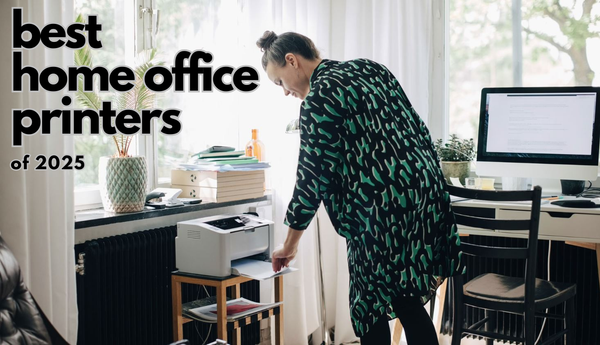
So I set out to find the best home office printer for everyone. This means putting a few selected printers through a series of tests they would go through in a home office.
From these tests I have put together a guide to buying a printer that will suit your very specific printing needs.
Types of Printers for Home Office Use | Inkjet vs Laser
It's fair to say if you're kitting out a home office, choosing the right printer is pretty important. Now, you need something that fits your specific needs, whether it’s printing crisp documents or high-quality photos.
So, the two most common types of printers are inkjet and laser printers, each having their own strengths and weaknesses. That's why you need to understand the two of them so you can make the most informed decision for your home office setup.
Inkjet Printers
Now, Inkjet printers are the go-to choice for many home office users, and for good reason. I would describe them as versatile and capable of handling a wide range of printing tasks, which fits the bill for most home office printer needs.
Pros
Inkjet printers are best at producing vibrant colours and sharp details, making them perfect for printing photos and graphics.
On the whole, inkjet printers are less expensive upfront compared to laser printers. This makes them accessible for those on a tighter budget.
These printers are usually smaller and more compact, perfect for fitting into a home office without taking up too much space.
They can print on most paper types, including glossy photo paper, labels, thick, thin etc.
Cons
Now, while the initial purchase price is low, the cost of replacement ink cartridges can add up quickly, especially if you print a lot.
Inkjet printers are slower on average than laser printers, which will be a pain if you are printing large documents
Be ready to do some maintenance if you buy an inkjet as they can suffer from clogged nozzles if not used regularly, as well as other small issues.
Laser Printers
From what I know laser printers are usually preferred in offices over inkjets because of their speed of printing and lower running costs. It's worth pointing out laser printers use a different technology than inkjet printers, which means they tend to have better durability, text quality and printing speed.
I go in to far more detail on the inner workings of laser printers if you're interested in learning more please spend some time reading through.
Pros
Laser printers are way faster than inkjet printers, so if you're always doing high-volume printing tasks you'll save a lot of time with a Laser printer.
The cost per printed page is actually lower with laser printers because toner cartridges last longer than inkjet cartridges.
Laser printers give very sharp and clear text, which is great for printing professional work documents
Trust me when I say, even under heavy daily use these printers are built to last.
Cons
These printers are definitely more expensive upfront, which might be a barrier for some people.
Laser printers are heavier and bigger than inkjets, so not ideal if you haven't got the biggest home office space.
Okay, so you can get colour laser printers but they are a lot more expensive and lower quality than inkjet colour printing.
Which One is Right for You?
Right so when you’re deciding which one is the best for you, you'll have to think about your specific needs. Such as what type of things you'll be printing, is colour important? Do you print a high volume or high quality? Etc.
This here is a general guide summarising which printer would be best for your needs from the most common printing tasks.
If you primarily print photos and colour documents: An inkjet printer would likely be the better choice due to its superior colour quality.
If you need to print a large volume of text documents quickly: A laser printer would be more efficient and cost-effective in the long run.
If you have a tight budget and limited space: An inkjet printer would be a practical option considering its lower upfront cost and generally more compact size.
If you print infrequently but in large batches: A laser printer might be worth the investment due to its speed, lower cost per page and being less prone to clog up if sat unused for long periods of time.
Our advice is to take the time to figure out what you're going to be needing a printer for, then research models and types based on your specific needs.
What Features Should A Good Home Office Printer Have?
Ideal features of the home office printer
Okay so you're on the hunt for a home office printer, you're going to need a one with the right features. From my experience everyone is going to want different features and qualities in a printer as the tasks you do will be unique to you and your work.
Although there are some features that you're definitely going to need for a home office printer, here they are:
Cost of Ink or Toner
This is a big topic that will affect you in the long run – the cost of consumables like ink or toner. You've got to do your research on the cost of replacement cartridges, as even if the printer is cheap when it comes to topping up the ink you could be forking out a fortune.
I'd absolutely suggest looking for models that take high capacity cartridges as you'll save per page, and printers that can use recycled cartridges. Most printers will accept recycled or compatible cartridges though some will try and tell you they won't work but in my experience almost 100% of the time they do. It is also important to consider that sometimes it can be just more sensible to use the genuine brand cartridges but that isn't taking anything any from recycled consumables.
Double sided Printing
Honestly, being able to print on both sides of the paper is a feature I can't live without now. Not only are you going to save on paper but your documents will be kept much neater so your home office won't be filled to the brim with paperwork. Fantastic feature.
Paper Handling
How a printer handles paper is actually really underrated as a feature. Being able to handle all sorts of sizes and textures goes a long way in making it a versatile machine. Don't forget to check the paper tray capacity too, as if you do bulk printing having to refill five times a day can be an annoyance.
My Advice
Now, by no means are these the only features to consider when buying a home office printer, as speed, durability, multifunctional, and quality all are important. But the features we listed can be overlooked by many when making a decision which can come back to bite you in the future.
My advice is to seriously consider, even write down in a list, all the features you're going to need, then make sure you've at least considered ongoing ink costs, double sided printing and paper handling.
Other than that, the features you should be looking for are personal to you so just be sure you choose a printer that's going to do all the things you'll. This will require research so take your time so you can make an informed decision.
What's the best budget home office printer?
Alright, so after testing a few options what really stood out as a reliable, easy-to-use budget printer was the Canon Pixma TS3355 A4 Colour.
Canon Pixma TS3355 A4 Colour
My Honest Review
I was actually really impressed with this machine. The setup was very straightforward and it took up barely any room on my desk, a huge bonus if you have a small office.
Basically for its price, it packs a punch with the quality and impressive features.
Pros
- Considering the price, the print quality is fantastic. It's ideal for everyday work documents or even colourful presentations.
- Honestly, setting up the Canon Pixma TS3355 was so simple. The instructions were straightforward and clear enough for anyone to follow.
- This machine has Wi-Fi capabilities, meaning you can print from your phone or laptop without having cables getting in the way, ideal for keeping your office area neat and tidy.
Cons
- Now it’s not the fastest printer out there. If you need to print large documents quickly you may be waiting around, but honestly pretty comparable to most other budget printers.
- The ink cartridges tend to run out fairly quickly, and replacement costs can add up. However, you can bring costs down by switching over to recycled cartridges.
- The truth is it’s pretty basic in terms of features. If you need advanced functionalities like duplex printing or high-volume capacity, you might need to look at more expensive models.
What I Liked About it
The one thing that really stood out to me was the print quality. For such an affordable printer, it delivers clear and crisp writing. Even photos come out looking pretty good, which isn’t something you can say for all budget printers.
The wireless connectivity was also a huge plus. Being able to print directly from your phone is going to save you a lot of time and effort.
Another thing I liked is the easy setup. I had no issues getting this printer up and running thanks to the easy instructions and didn't need to solve any issues.
My Advice
Okay so the Canon is a great budget machine, and perfect for anyone looking to do the basic work printing tasks on a budget, who doesn't print much and when they do it's mostly documents.
Paired with a wireless function and small design, this printer would do great in a small not so busy office.
It is however important to understand the downsides of this machine. For someone who does a lot of printing the slow speed may become an issue, as well as the somewhat expensive cartridges this thing takes.
So if you're looking for a faster machine with professional quality then this Canon wont be suited for your needs
What's the premium choice home office printer?
After testing a variety of options, I found that the Brother MFC L8690CDW A4 laser printer stands out as the premium choice for a home office. This is for those who want the best of the best, and want a machine that can do more than just the basics.
Brother MFC L8690CDW A4 Laser
Our Honest Review
Honestly I was very impressed with all the bells and whistles on this one. It has a lot of useful features which make your life much easier, as well as fantastic quality and speed. It's fair to say that you get what you pay for with this printer.
Pros
- I’ll admit, the print quality on this is excellent. Everything from black and white to colour was crisp and clear.
- Without doubt this is a very fast printer. It handles high-volume printing really well, which is perfect if you need to churn out a lot of documents quickly.
- It’s a multi-function printer (MFP), so you get printing, scanning, copying, and faxing all in one machine.
- The touchscreen interface is a huge bonus, making navigation nice and easy.
Cons
- Now, this machine is on the pricey side. But it is fair to say that you get what you pay for.
- Honestly it is a pretty big printer, so it may take up a lot of desk space.
- It took me a fair amount of time to set this printer up. It comes as no surprise as there are a fair amount of features to deal with.
What I Liked About it
The two most impressive features that stood out to me were the speed and quality. To be able to churn out high quality prints and not have to wait around was a real nice touch. Everything from documents to photos to presentations were all so clear and crisp, the colour was really sharp which made every page I printed easy on the eye.
Honestly , this machine is a dream for anyone who does a large volume of printing to a very high standard.
Let me tell you, having a touch screen interface is fantastic. I can get confused with printers that use buttons, so being able to interact with a screen helps me navigate through all the features.
Our Advice
Now I know the initial cost is high but if you’re someone who does a lot of professional document printing, graphic design or something arts based then this printer could be really worth it for you.
If quality at speed is needed for your work prints and you were ready to invest in a machine id suggest this one. As expensive as it is, you really do get your money's worth in quality, time, durability and great features.
However, if you don't need super high quality or to print massive documents and use fancy features then this printer won't be worth it to you. Why would you pay top money for a machine that you'll only use the basis for? It would make more sense to pay less for a machine that can still do what you want it to do.
I have to say this machine will be fantastic to anyone who will use its features and capabilities to its max, as it is one of the best in the market for it. So for those with more basic printing needs I’d say you'll be suited for something slightly cheaper
Best Printers for high volume printing
Now, from those I've tested, the Epson EcoTank Pro ET-5850 turned out to be fantastic at dealing with high volume prints. It was clear to me Epson had high capacity, durability and high volume in mind when designing this printer.
Epson EcoTank Pro ET-5850
My Honest Review
Literally every feature this thing has is telling me that it's built for working long and hard. From the large paper tray to the high capacity ink cartridges, and the fast printing speed makes this a great choice for anyone looking to do a lot of big printing jobs from their home office.
Pros
- Honestly, The EcoTank system is a huge money-saver. Instead of using traditional cartridges, it uses refillable ink tanks which significantly reduce the cost per page and long term running costs.
- It really is very fast, churning out pages at a rate that keeps up with demanding print jobs. This is perfect if you need to print large documents quickly.
- Having very large paper trays and ink tanks ends up saving you loads of time and money, a huge benefit.
Cons
- Now, the upfront cost is higher than other printers. However, the savings on ink over time make it a worthwhile investment.
- It is definitely a bit bulky, so you’ll need to have enough space to fit it in your home office space.
- So, the initial setup takes a bit longer because of the ink tank system, but it’s very not complicated to get done.
What We Liked About it
I thought how this machine handled large print jobs was fantastic. The refillable ink tanks are a great feature that will save you a lot of money over time. This is especially important if you print a lot of large documents, as running costs wont stack up like other printers.
Also, the large paper trays were a nice bonus as you don't have to keep interpreting prints to refill the tray. Plus, the print quality doesn’t suffer despite the high speed – everything comes out looking professional.
The touchscreen interface is also very user-friendly, which means less time fiddling with settings and more time getting things done.
Our Advice
If you're looking for a printer to deal with a high volume of printing then its definitely worth considering. Yes, the initial cost is higher, but you’ll make your money back and some with the savings on printer ink.
I would say this printer is perfect for anyone who needs to print large quantities regularly and wants to do so without constantly worrying about ink costs or running out of paper.
Remember, if you aren't planning on doing large scale printing then this machine might not be suited for you, and you would be better off looking into printers that specialise in what you need. As this printer isn't cheap to buy, so you should only consider it it's going to serve your needs.
The Best All-in-one Printer For Home Use
Okay so when it comes to finding the perfect all-in-one printer for a home office, the Epson WorkForce WF-2930DWF A4 takes the lead. This machine handles printing, scanning, copying, and faxing all really well, pretty much making it as versatile as the come.
Epson WorkForce WF-2930DWF
My Honest Review
Absolutely the Epson WorkForce WF-2930DWF a is a solid choice for home office use. It's designed to be able to do anything an office needs it to do, and it definitely delivers on that front.
Pros
- It’s actually really compact, considering it's an all-in-one it barely takes up much room on your desk which can be the downsides of multifunction printers
- The Wi-Fi connectivity is brilliant. It allows you to print from your phone, tablet, or laptop without any hassle. Plus, it supports Apple AirPrint and Google Cloud Print.
- I find it pretty impressive that one small machine can print, copy, scan and fax all in one to a good standard.
Cons
- Alright, while it’s not the fastest printer out there, the speed is acceptable for home use. If you’re in a rush though, it might feel a bit slow.
- The paper tray isn’t the biggest, so if you’re doing a lot of printing you’ll find yourself refilling it more often.
- We found it to be a bit noisy when printing, which could be a minor annoyance if you’re trying to work in silence.
What I Liked About it
I think it's great how this printer has it all, and makes it feel like it has not given anything up for it. Usually a multifunction printer is larger, or more expensive, or lacks quality.
However, this printer does not have to give up any of those things. Making this a great all round printer that's affordable and delivers in all areas.
My Advice
So this machine is a fantastic option for a home office that has a wide range of printing tasks to do, as the many functions allow it to complete anything an office will need to a basic level.
However, if you were looking to specialise in functions such as printing or scanning, there may be other printers that will be better suited for those tasks for a similar price.
Simply put, this machine is suited for those who have a broad range of printing tasks, not those who need one specialised in one function
The best eco-friendly printer choice for your home office
The Epson EcoTank ET-4800 wins hands down to be the most eco-friendly. It's obvious from its ink capacity that it's designed with the environment in mind as well as functionality.
Epson EcoTank ET-4800 All-in-One Printer
My Honest Review
This Printer is an excellent machine, you’ll be able to keep running costs to a minimum as it uses a refillable Eco-Tank that takes bottled ink which makes it super fast and cheap.
As well as that, the print quality is impressive and it's an all-in-one so will be able to print, copy, scan, and fax. So, basically do anything a home office needs.
Pros
- The EcoTank’s standout feature is its refillable ink tanks, which reduce waste and save money. So you won't have to chuck out any cartridges, just refill them will bottled ink
- Yes it's true the upfront cost for a printer like this is higher, but trust me with the savings on ink cartridges you'll make that money back.
- It’s worth knowing this all-in-one model does printing, scanning, copying, and faxing, covering basically everything you can do in a home office
Cons
- One thing is the price is higher than your average printer, although you will make that money back with the cheap printer ink
- Now, this is a larger machine so you may struggle to find a spot for it if you are limited for space
- Okay I will say you need to be careful setting the tank up and refilling it as if you spill any it can be messy. The bottle is sealed so it's hard to make a mess, but still possible.
What I Liked About it
The eco-friendly aspect of the Epson EcoTank ET-4800 is actually a major selling point. It's a great idea to be doing your part for the environment all while sitting at your desk. It doesn't hurt to save money at the same time either .
If you crunch the numbers there is no way you don't save money on ink switching over to an Eco-Tank. I think any printer with low running costs is brilliant, so it’ll come to no surprise that I think this machine is a gem.
In simple terms, this is a high quality machine with enough features to do anything an office needs. On top of that it's great for the environment and will save you cash on ink cartridges.
My Advice
Alright so, anyone looking to cut down on their running costs without giving up features and quality should be considering this Epson. If you don't mind paying the high upfront cost and need a broad range of printer tasks done this is a fantastic home office printer for you.
P.S If you want to play your part in saving the planet from your desk, this machine can do that.
It's important to remember these lower running costs only really matter if you're doing a lot of printing. Considering the higher initial cost you may not be better off if you only print a couple times a week.
So if you don't do much printing and don't plan on using the scan, copy or fax functions you’ll be better off going for a more basic model and saving your money.
Conclusion
Well there we have it, that's my take on the best home office printers.
Remember, the best printer for your home office depends on what you plan to use it for and your specific needs. Such as the type of documents you print, your budget, and how much space you have.
So take the time to think about what it is you need exactly, then feel free to head over to our website and check out the printers you've just been reading about.
I've also got another full blog post article breaking down the comparison between inkjet and laser printers. Please feel free to give it a read!
Blog Author: Simon Cross is the engaging and knowledgeable voice behind the insightful articles on printers and printer consumables at IJT Direct, an ecommerce store renowned for its comprehensive selection of printers, printer consumables, and hardware. View Simons author page to find out more about him.
Browse Our Top Ink Cartridges