
Best Budget Brother Laser Printers 2024
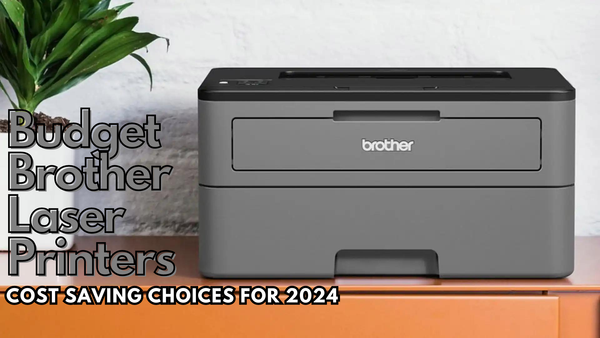
A quick overview of the best budget Brother laser printers for 2024:
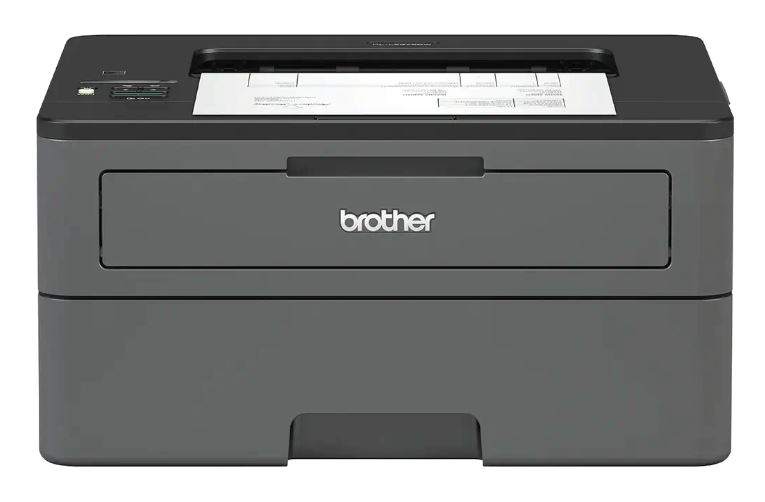
Brother HL-L2370DN
Prints up to 34 pages per minute, making it ideal for small offices and home setups.
Low upfront and running costs, especially with high-yield toner.
Features automatic duplex printing and Ethernet connectivity.
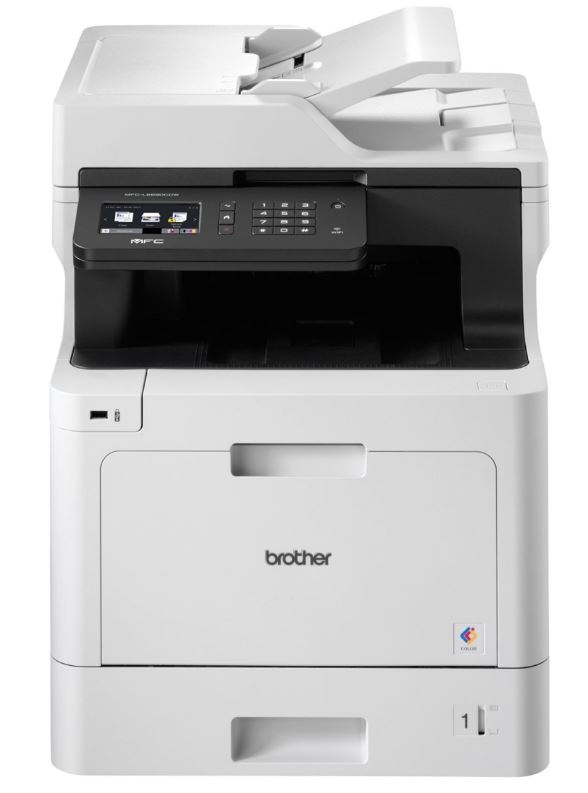
Brother MFC-L8690CDW
Offers print, scan, copy, and fax in one device, ideal for medium-sized offices.
Prints up to 31 pages per minute in both black-and-white and colour.
Cost-efficient with high-yield toners, especially when using IJT branded options.
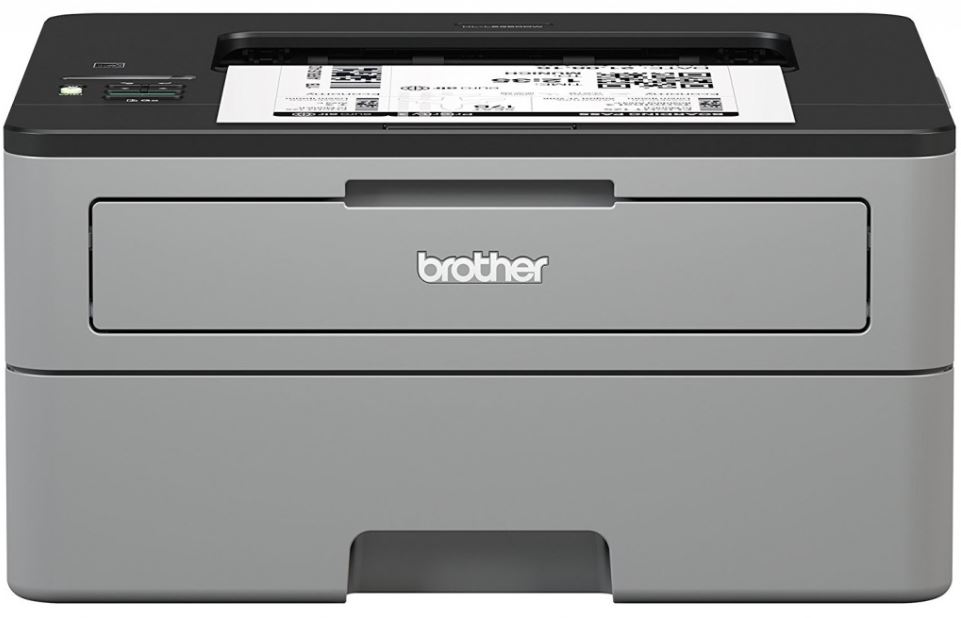
Brother HL-L2350DW
Perfect for home offices with Wi-Fi and automatic duplex printing.
Affordable printing with high-yield toners, especially using IJT branded toners.
Up to 30 pages per minute for quick and efficient document handling.
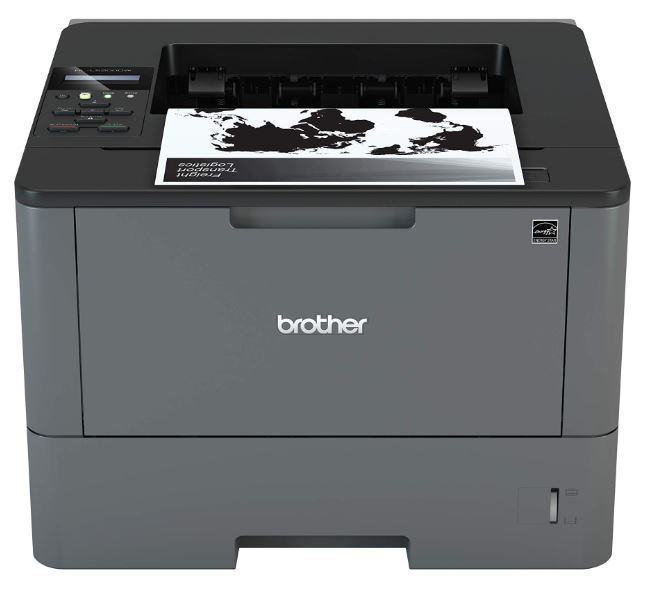
Brother HL-L5200DW
Prints up to 40 pages per minute, ideal for busy office environments.
Standard 250-sheet tray, expandable up to 1,340 sheets.
Low running costs, especially with IJT branded toner reducing per-page expenses to 0.45 pence.
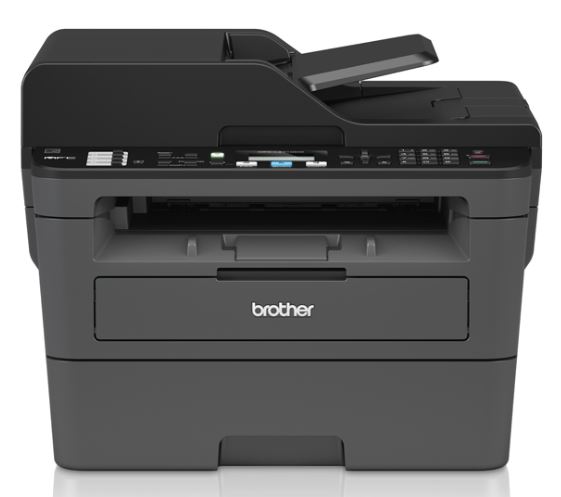
Brother MFC-L2710DW
Combines print, scan, copy, and fax functionality, making it versatile.
Prints at 30 pages per minute with Wi-Fi and mobile printing support.
Low cost per page using high-yield or IJT branded toner, great for budget-conscious users.
Why are Brother printers good value for money?
Designed for your everyday budget
Firstly, Brother printers are designed with cost-efficiency in mind. Their laser printers are combined with long-lasting Brother toner cartridges that help businesses and homes save money in the long run. I personally feel like this is a killer combo.
I’ve rigorously tested these printers, and the low cost per print they provide is remarkable. For businesses, especially, this means significant operational savings without compromising on quality. This helps that they are laser, but it seems that Brother has a speciality in this area.
Brother printers are reliable
One of the key things I enjoy about Brother printers is their durability and reliability. I can confidently say that they hold up under heavy usage, making them perfect for high-volume environments.
Plus, many of their budget-friendly models still come with features like automatic duplex printing, which reduces paper waste and in turn saves money. So yes, overall I find Brother printers to be super reliable for everyone who uses them.
They suit different types of people
From small businesses to home offices, Brother printers cater to a wide audience. They really do offer something for everyone. I think this is super important, because for myself, I am trying to find the best solutions for so many people.
You may be a small business, big business, home office or just a home user who prints once in a while. Either way, Brother has a wide range of solutions that are available to you, no matter what your needs and requirements are. That’s why I always recommend Brother.
Compatibility with recycled original Brother toner
Lastly, Brother's compatibility with cost-effective toner cartridges ensures you’re not overspending on consumables. This aligns with my passion for finding the best value for money for my readers.
This means that not only are these printers affordable upfront, but they can also be made affordable to run for the future as well. This is a big point which most may overlook.
How do I rank these printers?
When it comes to finding the best budget Brother laser printer I used a combination of hands-on testing with evaluation of the real world performance. Here is an overview of criteria I used and examples of tests I conduct:
Print quality
I conduct tests by printing a variety of documents. We also have an awesome IJT printer test page, so I usually put this through the printer as an initial test. I will also run prints from basic text to high-detail images. This helps assess the clarity and sharpness of prints.
Speed and efficiency
To test the printer speed, I will run large batches of documents continuously to see how the printer handles under pressure. I focus on pages per minute (ppm) to measure how fast it can print, and also keep an eye on how well it manages its speed during longer print runs, without overheating or slowing down. Printer paper left over from these sorts of tests are never just thrown away, I always endeavour to reuse or recycle.
Running costs
Running costs are a big factor for most businesses, so I always calculate the cost per page based on toner usage and expected cartridge yields.
Features and connectivity
I look closely at how easy the printer is to set up and whether it includes important features like Wi-Fi, mobile app integration, and duplex printing. Can I set it up easily? Is there anything that is confusing to me? I also test different connectivity options, such as USB and network connections, to make sure it’s suitable for various setups and user needs.
The Best Budget Brother Laser Printers
Brother HL-L2370DN
Overview
First up, we have the Brother HL-L2370DN. This is a mono laser printer designed for users who need fast, efficient black-and-white printing on a budget. It’s very fast, very affordable and is compact and powerful.
This means it’s excellent for those of you who are running a small business or have your own home office. It actually features an automatic duplex printing (which is double sided printing). There is also an ethernet connection as well, making a nice feature for integration with wired office networks.
Why is this printer budget-friendly?
I love this printer because it’s super budget friendly and strikes a balance between affordability and features. Now, the reason why it’s so budget-friendly is because it has a low upfront cost, and a very low running cost as well. Thanks to the affordable toner cartridges as well.
- The Brother TN-2420 high-yield toner cartridge, which is commonly used for this model, typically prints around 3,000 pages per cartridge.
- The cost of the original Brother TN-2420 toner is approximately £60, depending on the retailer.
This gives an estimated cost per page of just over 2p per page for monochrome printing, which is very economical for a laser printer.
With recycled Brother TN-2420 toners you would be looking at around 0.8p or 1p per page. This is extremely affordable.
Pros
- Prints up to 34 pages per minute, which is impressive for its price range
- Saves paper and time by printing on both sides
- Fits easily on a desk or in a small office
- Allows for easy network integration, ideal for small offices
- High-yield toner cartridges help keep the cost per page low
Cons
- While it offers Ethernet, there’s no Wi-Fi, which can be a limitation if you prefer wireless setups.
- This is strictly a monochrome printer, so it’s not suitable if you need to print colour documents.
- The lack of a touchscreen or advanced display makes navigating the settings less intuitive.
Who should consider this printer?
So I’d suggest this printer to small businesses, for example an accountant. Also it might be well suited to home offices that require fast and budget printing. Essentially, it’s great for those of you who are looking for a compact and powerful laser printer on a budget.
However, if you are looking to print wirelessly or use colour, then this printer will not suit you. Instead, I would recommend the next printer which is the Brother MFC-L8690CDW.
Brother MFC-L8690CDW
Overview
Now for me personally, this Brother laser printer is the highest value for money. Although it might be slightly more expensive than the mono printers, the extra value that you get with it means it’s super cost effective.
The Brother MFC-L8690CDW is a high-performing, all-in-one colour laser printer, designed for offices that need printing, scanning, copying, and faxing all in one compact device. It’s built for productivity, featuring fast print speeds and automatic duplexing for both printing and scanning.
Why is this printer budget-friendly?
Well, with all of the options you are getting here it’s hard to see why it wouldn't be considered budget friendly. You’ve got an all in one laser machine that prints, scans, copies and faxes. This limits your need to purchase separate machines.
Of course, similar to the other Brother laser printer mentioned above, there are high-yield Brother toner cartridges available which means running this printer is very cost effective. Overall, the initial price is fairly low considering what you can get and compared against other multifunction laser printers.
With the Brother MFC-L8690CDW, using high-yield toner cartridges:
- Standard Capacity TN-421 Toner: With a yield of up to 3,000 pages from the black and up to 1,800 pages from each of the 3 colours (C, M ,Y), the cost per print is approximately 2.6p to 2.8p.
- High Capacity TN-423 Toner: With a yield of 6,500 pages from the black and 4,000 pages from each of the 3 colours (C, M ,Y), the cost per print is approximately 1.4p to 3.0p.
If you are considering the recycled Brother TN-423 toner cartridges, then you can again bring this cost down to 0.8p - 1p per print on colour and black. Overall, this printer is very affordable and a great option for many.
Pros
- Prints up to 31 pages per minute, both in black-and-white and colour.
- Can print, scan, copy, and fax, reducing the need for multiple devices.
- Handles double-sided printing and scanning, improving efficiency.
- Includes Wi-Fi, NFC, and mobile printing options like Apple AirPrint and Google Cloud Print.
- When using IJT branded toners, it offers some of the lowest costs per page for colour laser printing.
Cons
- While it’s budget-friendly for an all-in-one model, the initial price might be too high for some small offices.
- It takes up more space than basic mono printers, which could be an issue in smaller offices.
- It can be a bit noisy during large print jobs, which could be disruptive in quieter office environments.
Who should consider this printer?
For me, I always recommend this printer to medium sized offices that need a fast, efficient and high quality printing solution. If your business handles a large volume of documents every day, then this might suit you very well. You can certainly minimise your running costs as well.
However, if you are someone who only needs black and white printing I’d suggest looking at some of the other suggested Brother laser printers like the MFC-L8690CDW. Also, if you have a home office, this might be a little too big; depending on the size of your office a smaller one might suit better.
Brother HL-L2350DW
Overview
Another fantastic option is the Brother HL-L2350DW. This is a compact little beast. It’s a mono laser printer, similar to my first recommendation, and is well suited for home offices and small businesses requiring black and white printing.
It’s wireless, and it comes with duplex printing which are two big features I like to consider. The upfront cost is relatively low as well, meaning it’s not going to break your bank for your first initial investment, making this a suitable budget printer.
Why is this printer budget?
This is another good budget printer because it balances essential features with things like wireless printing, low toner cost, low upfront cost and other cool features like duplex printing. It’s an excellent solution for everything you need in a printer, at an affordable price.
- Original Brother TN-2420 toner: Yields 3,000 pages, resulting in a cost per page of roughly 2p.
- Recycled Brother TN-2420 toner: For the same yield of 3,000 pages and a cheaper cost, this brings the cost per page down to 1 pence.
This makes the Brother HL-L2350DW one of the most cost-efficient printers for high-volume monochrome printing, especially when paired with IJT branded toner.
Pros
- Prints up to 30 pages per minute, making it suitable for quick, high-volume tasks.
- Its small footprint allows it to fit easily into home offices or small spaces.
- Saves on paper and increases efficiency by printing on both sides of the page.
- Supports Wi-Fi, allowing for mobile and remote printing from devices like smartphones and laptops.
Cons
- This is a mono laser printer, so it’s limited to black-and-white documents.
- While it covers the essentials, it lacks some advanced features like a touchscreen or multifunction capabilities (scanning, copying).
- Unlike some models, it doesn’t have wired network connectivity, which could be a downside for some office environments.
Who should consider this printer?
Ok, so who is this printer best for? All of you who have small home offices or a small business that need an affordable, reliable and fast black and white printer for things like documents or reports.
If you want to have a wireless printer as well, this is an awesome option. Now, it’s very well suited for anyone that needs colour printing (obviously). Larger offices might struggle with this printer as well, as its performance might be slower and doesn’t offer ethernet support.
Brother HL-L5200DW
Overview
Next up we have the Brother HL-L5200DW which is another fast printing mono laser printer. Again, this is very well suited for those smaller-to-medium sized businesses. If you require wireless connectivity, high security features and high volume printing, then this is a very well suited printer for you.
You also have a great feature to allow you to expand the paper capacity for really high print volumes. Overall, I’d recommend this printer as from what I’ve seen it’s a total workhorse for black and white printing.
Why is this printer budget?
Now, this printer might have a slightly higher upfront cost compared to some of the other models I’ve suggested, but it makes up for it with its lower running costs which will help reduce the overall cost of this printer over time.
It also boasts features like ethernet and wireless, high security and ultra-fast printing without the premium price tags of other printer models offering the same features.
- Original Brother TN-3480 Toner: Costs approximately £105 and yields 8,000 pages, resulting in a cost per page of around 1.3 pence for black-and-white printing.
- Recycled Brother TN-3480 Toner: Costing roughly £36 for the same yield of 8,000 pages, which brings the cost per page down to 0.45 pence.
Based on this, the Brother HL5200 is one of the most affordable printers to run long term, especially if you pair it with a recycled original toner which will give you an incredible 0.45p per print.
Pros
- Up to 40 pages per minute, making it suitable for busy offices.
- Saves paper and time by printing on both sides of the page.
- The standard 250-sheet tray can be expanded up to 1,340 sheets, great for high-volume environments.
- Offers Wi-Fi, Ethernet, and USB connections, providing flexibility for different office setups.
- Includes secure print and other security functions to help protect sensitive documents.
Cons
- This is a mono laser printer, so it’s limited to black-and-white documents.
- The control panel is functional but lacks a modern touchscreen, which some users may find limiting.
- Although it’s budget-friendly in the long term, the initial price might be higher compared to simpler mono models.
Who should consider this printer?
First thing that comes to mind is small to medium-sized offices that need fast, high-volume black-and-white printing. If your business values low running costs and long term savings, then this is going to suit you very well.
On the other hand, this might not suit homeowners that well, because it’s more of a workhorse printer. Homeowners might only need something smaller and less powerful. Also it’s worth noting that it might not be suited for those who prefer a touchscreen interface or advanced control panel for easy navigation.
Brother MFC-L2710DW
Overview
Finally we have the Brother MFC-L2710DW. This is another strong, all in one mono laser printer that is affordable and easy to get on a budget. Impressively enough, it offers printing, scanning, faxing and copying all in one. This comes with fast speeds, wired and wireless connectivity and a complete solution.
I love this printer as well, it’s certainly known in the industry for its affordable running costs as well. So putting this to the test was enjoyable for me. All of these features are super handy and well worth the price.
Why is this printer budget?
Similar to the Brother MFC-L8690CDW, this printer is considered a budget friendly option because of its value for money. You are getting multiple features e.g. print, scan, copy and fax with this printer all in one.
For what you are getting, and compared against other models and printers offering the same functionality, this printer is extremely affordable. Then compared with its running costs, it comes with high yield, affordable toner cartridges to run as well.
- Original Brother TN-2420 Toner: Yields 3,000 pages, resulting in a cost per page of roughly 2p.
- Recycled Brother TN-2420 Toner: For the same yield of 3,000 pages and a cheaper cost, this brings the cost per page down to 1 pence.
This makes the Brother MFC-L2710DW a very cost-effective solution. Especially for those who require lots of functions. This printer has got you covered with everything you need.
Pros
- Print, scan, copy, and fax in a compact device.
- Up to 30 pages per minute, ideal for high-volume environments.
- Saves paper and time by printing on both sides.
- Supports Wi-Fi, USB, and mobile printing, making it easy to print from anywhere in the office.
- Despite its all-in-one capabilities, it has a relatively small footprint.
Cons
- It only prints in black-and-white, which may be a limitation for some users.
- The printer has a simple control panel without a touchscreen, which may be less intuitive for some users.
- The 250-sheet input tray is adequate but may require frequent refilling in high-demand offices.
Who should consider this printer?
So, who does this printer suit the best? Well, small offices or home businesses that require multifunctionality (print, scan, copy, fax) without needing colour printing is a great starting point. Other users who are looking for a reliable black-and-white printer with low running costs.
Just remember, this is mono (black and white) printing only. So if you need colour printing, it’s best to consider a different option. Another note, offices that require larger paper capacities or handle extremely high-volume print jobs, as its tray may need frequent refilling.
Final Thoughts
I think we are all in agreement, when it comes to budget printers, Brother has some fantastic options available for almost everyone. Whether you are a small business, a home office, or even a larger office with high-volume requirements, Brother has a laser printer suited to you.
From the compact HL-L2370DN to the all-in-one MFC-L8690CDW, each model offers unique strengths in terms of print speed, functionality, and low running costs. It’s important to find one that suits your requirements the best (as the end user).
My recommendation is always to weigh your specific printing requirements and select the model that will not only meet your current needs but also provide value in the long term. If you've found yourself at the end of this blog thinking that perhaps a laser printer isn't the best move for you and in fact an inkjet printer would be a far better option, fortunately I've provided my insights in to the best inkjet printers available in 2024.
Blog Author: Simon Cross is the engaging and knowledgeable voice behind the insightful articles on printers and printer consumables at IJT Direct, an ecommerce store renowned for its comprehensive selection of printers, printer consumables, and hardware. View Simons author page to find out more about him.
Browse Our Top Ink Cartridges