
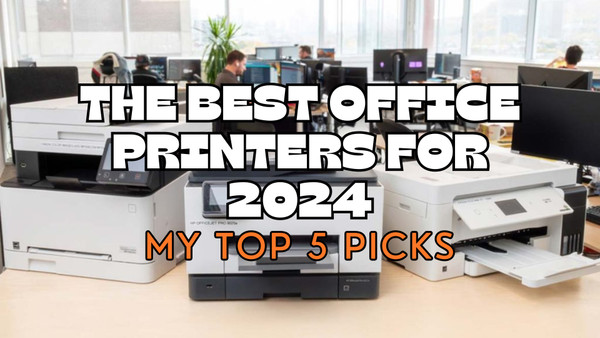
The Best Office Printers for 2024 | My Top 5 Picks
What Makes the Best Office Printer
There are plenty of factors to consider for selecting the best office printer, features essential for easy office integration and none that will cause any considerable downtime and therefore affecting your ability to be profitable and functional.
I’ve spend so much time around printers that I can confidently say these are the more important factors that make the crème de la crème stand out from the those run of the mill printers. It would be easy to assume laser printers for the office and inkjet printers for the home, but stick with me and I’ll help you avoid making an expensive mistake and chose the best office printer for you.
Rapid Printing
Offices rely on fast and efficient printing so business can remain efficient and profitable. A considerable part of this is when large documents need to be printed; it’s done efficiently and quickly. This minimises any possible downtime.
Superior Text Clarity
High quality text is far more important than image clarity, certainly in my opinion and experience. That isn’t to suggest image quality isn’t important, as most printers will produce acceptable images, the text clarity, given the requirements place on office printers, is far more important.
Flexible Paper Management
Having a printer that can handle different paper types and weights is essential. Most office based print jobs won’t require anything more than standard printer paper but there will be occasions where some heavier stock or even photo paper will be required for presentation media for clients for example.
Diverse Connectivity
Depending on the size of office and the number of people needing access, the option for local networked (LAN), Wi-Fi and cloud printing capabilities will ensure everyone can print without having to relocate themselves and create any inefficiency.
Multifunctional Capabilities
For office printers, having the options to scan and copy are vitally important in most offices. There will be those situations where a printer will only need to have one function, but those will be few and far between. There will also be a need for an automatic document feeder (ADF) as it can handle multiple pages at once rather than just using the scanner bed. Having the option to scan to PDF and email as well as auto duplex (2 sided) printing are also vitally important.
Economic Operation
Low page per print costs are a must for office printers. Even if we are striving for a paperless workplace, there will almost always be a need to print so choosing a printer that will cost less to run is imperative. Take in to account not only the initial cost of the printer but also the cost of the consumables, buying recycled ink cartridges or toner cartridges where possible and the print capacity of said cartridges.
Dependable Performance
As well as being economic to run, office printers need to be dependable in their operation and performance. I don’t just consider a how often a printer breaks down but its continued ability to produce print after print of the same high quality. Directly consider the printers duty cycle. This tells you how many prints per month the printer can produce before issues like overheating, paper jams and other malfunctions start happening.
Intuitive User Interface
We all know how frustrating it can be trying to navigate around a printers menu and sub menus trying to find those little used features or even perform basic maintenance tasks. Some printers even require you initiate changing the inks or toners via the user interface. So having an office printer with a straightforward and easy to use user interface is vital to keep your business rolling.
Energy Conservation
Often overlooked, an office printer’s energy usage will have a bearing on operational costs. The very nature of office printers is that they are very unlikely to be used all day, probably 8-10 hours a day max. Consider any power saving modes and general power consumption figures.
Seamless Integration
Most office printers will go in to any office without a hitch but consider if you have any specific software or hardware you are running that isn’t just off the shelf stuff. This shouldn’t present itself as a problem but it’s always better to be safe than sorry , especially once the printer is out of the box it can’t then be returned, not to mention any time lost setting it up.
5 Best Office Printers
In no particular order, these are my 5 picks for best office printer for 2024.
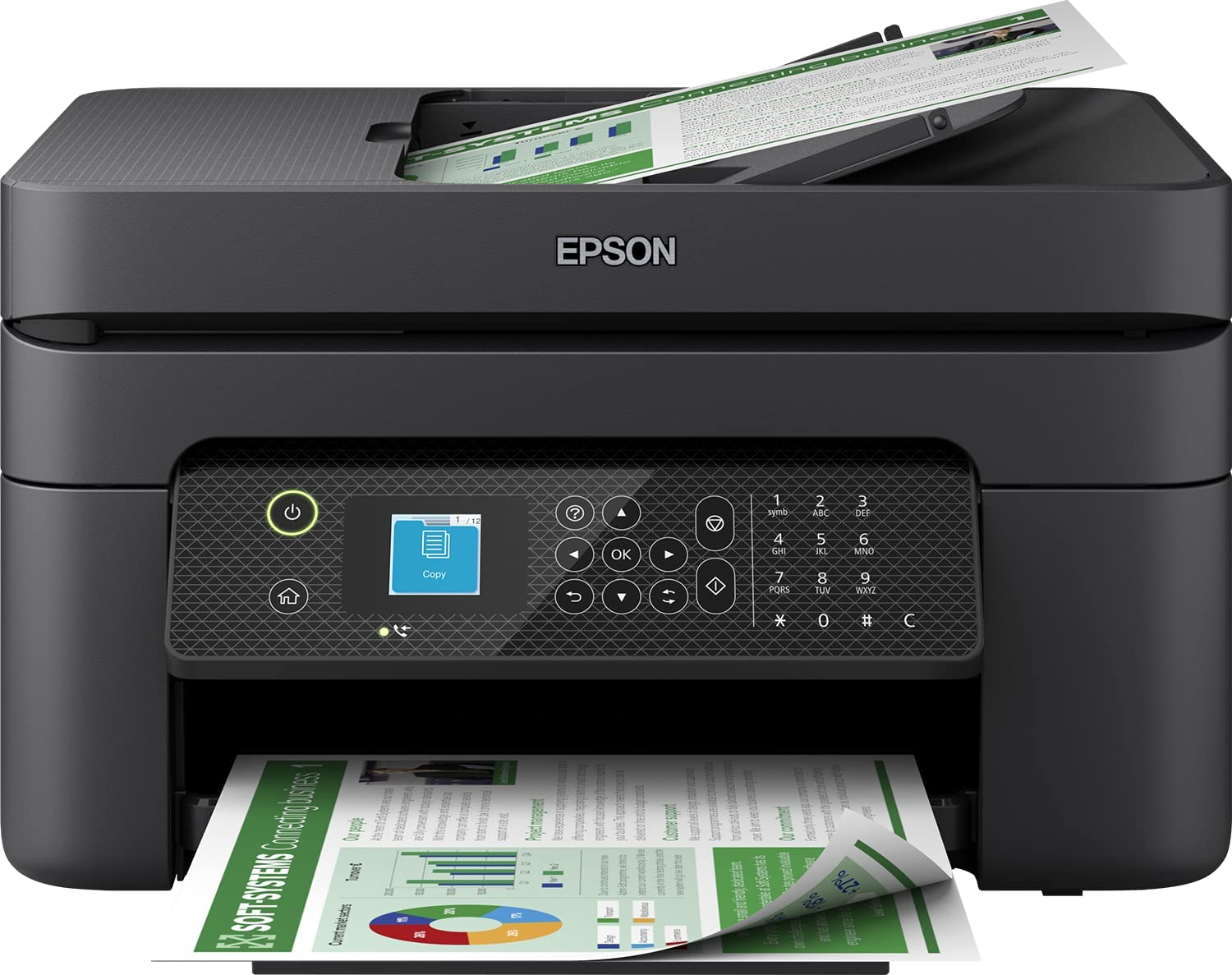
Epson WorkForce WF-2930DWF
Overview
A really good starting point is the Epson WF-2930DWF. A compact printer designed by Epson for home use but equally adept in a small office, it is one of the best in the business for role.
It’s designed around a compact footprint, 375 x 300 x 218 mm (W x D x H), with features including duplex printing, wireless, a flatbed scanner with automatic document feeder (ADF), a 100 sheet paper tray and 3.7cm display screen. All these features together along with its compact footprint make the WF-2930DWF a very strong small office contender, especially with it 4 individual ink system.
Key Features
It’s multifunctional! I’ll start off by mentioning the fax feature and follow that up by saying, who sends faxes anymore? Very few, certainly in my experience, thought not too long ago the Barclays Premier League, an organisation worth billions of pounds, were using faxes to confirm multi-million pound player transfers. More importantly you can print via USB, Wi-Fi and app.
Business focused features. Fitted with a flatbed scanner for scanning and copying single documents or an automatic document feeder (ADF) for scanning up to 30 pages at a time. Businesses often need to send larger documents, often by email, and I for one couldn’t imagine having to scan pages 1 at a time, no matter how many or few, so the ADF is essential in this aspect.
App Printing. If you’re anything like me and have a tendency to open almost any email attachment personal or work related, browse and order via apps on your phone, then to be able to print directly via your phone is just outright essential. Lucky this Epson printer works with Apple AirPrint, Mopria, Epson Smart Panel and Epson Connect.
4 ink system. Did someone smell a cost saving?! The Epson WF-2930 isn’t on its own in offering this feature, far from it, but it has it nonetheless and it is certainly a hugely important feature because who doesn’t love saving money! I won’t insult any of you reading this by going in to huge detail, basically because this printer has 4 individual Epson ink cartridges you’ll only need to replace the colour that runs out, rather than a whole tri-colour cartridge that may still be 2/3rds full. Not forgetting high capacity recycled ink cartridges readily available and offering the same quality compared to the Epson originals.
Navigation Screen. Easily accessible printer functions make a good office printer. Yes the WF-2930DWF doesn’t have the largest nav screen but it displays the ideal amount of information, which is easily navigated through via the buttons to the side of it.
Print Speed & Quality. With a print speed to rival a laser printer and print quality high enough to rival the best photo printers on the market, this Epson printer can churn out mono prints at up to 33 ppm (pages per minute), colour prints at up to 18 ppm with a resolution up to 5760 x 1440 DPI.
Easy set up and use. I’ve touched on speed and efficiency and how important it is and this printer is no different. With an easy quick start guide and an intuitive set up wizard you’ll be up and printing in no time.
Pros and Cons
Pros
- Individual 4 ink system, more economic
- Plenty of connectivity options
- High print resolution
- Fast mono print speed
Cons
- Comparatively low ink page yield
- Requires regular use to stop printheads clogging
- Small navigation screen
- No network option
Why I chose it
I chose the Epson WF-2930 because it ticks all boxes for small offices and home use.
It offers wallet friendly printing because of the individual colour system so you’ll only have to replace the colour that been used up. This therefore means less waste and as an added bonus it’s far better for the environment. High capacity (XL) cartridges also double down on this.
There are also plenty of different ways to connect to and print from your Epson WF-2930DWF. You’d image, as I do, that in a small office a printer is located next to or very near a PC or laptop, so can therefore be connected via USB. What this printer offers though is printing via Wi-Fi and apps such as AirPrint.
You’ll also get some really crisp and clear text documents because of the top notch 5760 x 1440 print resolution. You won’t have to wait around for them either. A 33 page (black and white) text document will be ready and waiting in the output tray in a minute, 60 whole seconds!
Summary
Small offices and the Epson WF-2930DWF printer is a match made in heaven, that’s certainly the way I see it anyway. It’s got plenty of features that will only help with office productivity and just as importantly help keep printing costs down. This is why it’s my choice as the best small office printer.

Brother MFC-L8690CDW
Overview
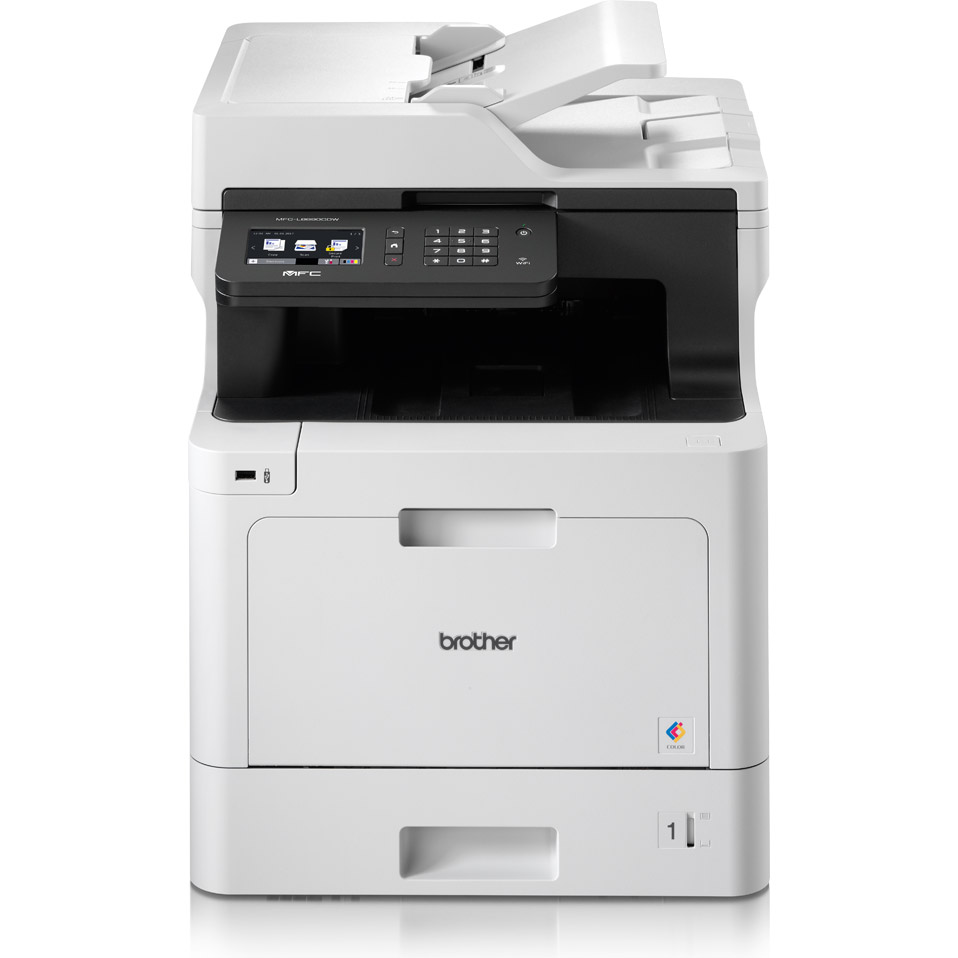
The first offering in the guise of a colour laser printer is the Brother MFC-L8690CDW.
The MFC-L8690CDW offers versatility and efficient printing for small to medium sized offices. Equipped with plenty of features including wired and wireless connectivity, multi sheet paper tray with the option to add more if required, fast print speed for colour and mono printing, an automatic document feeder and duplex printing are just a sample of what this colour laser printer offers.
On top of that the Brother toner cartridges for this machine are available in both standard and high capacity.
Key Features
Fast printing and large capacity paper trays. Capable of churning out up to 31 ppm (pages per minute) for both colour and mono prints, the Brother MFC-L8690CDW is spec’d up to provide higher volume printing that its inkjet counterparts. What wouldn’t be so good is to have a printer that can chuck out pages quickly without the capacity to hold plenty of paper. Fortunately this particular printer can accept more or less a full ream (500 sheets) of paper.
A 250 sheet standard tray, a 50 sheet multi-purpose tray, a 50 sheet ADF, a up to 50 sheet output face down and finally an up to 150 sheet face up straight paper path. I’m my experience that’s more than enough for almost any small to medium sized office.
High volume monthly duty cycle. What exactly is a monthly duty cycle when it comes to printers I hear you ask. It refers to the number of pages per month a printer can print without compromising its performance or life expectancy. This Brothers monthly duty cycle is up to 3,000 pages, plenty I believe fulfil even this most demanding small to medium sized office without compromising the quality of printing and the life span of the printer itself.
Networking. No not people networking, printing via a network. This is more or less the number one demand of any capable office printer, not quite regardless of size but certainly for medium sized offices. Having that wired network options means that the Brother MFC-L8690CDW can be configured for multiple users to print to. A wired network also provides a far more stable and reliable printing solution rather than Wi-Fi and more convenient than USB printing, which only allows one user at a time.
Large Touchscreen. Having a printer with lots of different features is great but if it’s difficult to properly access them then I wonder what the point is. Fortunately Brother did think the design through and fitted the MFC-L8690CDW with a large 9.3cm colour touchscreen. It allows the features to be easily navigated and used to their full potential, something very desirable of an office printer.
Pros and Cons
Pros
- High capacity Brother TN423 toner cartridges
- Fast colour & mono printing
- Doesn’t require regular use to stop clogging
- Can hold almost a full ream of paper
- Easy set up
Cons
- High initial purchase price
- Inferior print resolution compared to inkjet printers
- Requires more desk space
- Higher maintenance costs
Why I chose it
I chose the Brother MFC-L8690CDW for its stand out balance of performance, reliability, value and functionality for small to medium sized offices. Capable of printing in colour and mono quickly and efficiently, users will get a boost in productivity that ensures even the largest print jobs get finished quickly and efficiently.
You can also reduce your own paper consumption and be more environmentally friendly using the automatic duplex feature. As we all know we have to play our part, no matter how small that part may be. I mentioned the ability for this printer to hold hundreds of sheets a paper at a time. This means far fewer pauses in print jobs to refill paper trays and in turn means a smoother workflow for busy offices.
Another key reason for me choosing the Brother MFC-L8690CDW is its vast array of features. As well as the printing capabilities I’ve covered, it has scanning, copying and faxing features, making it genuine all in one printer solution. As well as these features users will also find a broad variety of connectivity options, chiefly amongst those is the networking capability.
Summary
For small to medium sized offices, what’s not to like about this printer? High speed printing, high capacity toner cartridges and auto duplex printing all mean a productive and environmentally friendly workplace. It really is packed with features; you just need to consider the initial purchase cost and your printing needs before venturing down this route.
Canon Color imageCLASS MF656CDW
Overview
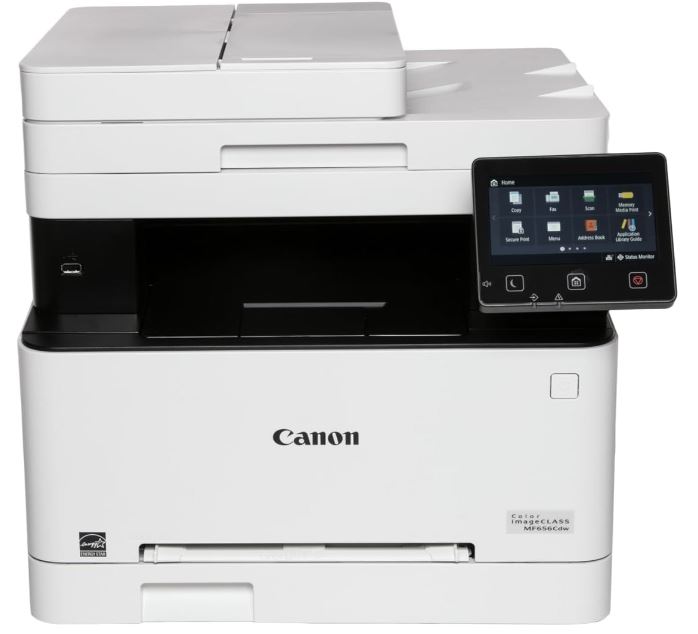
Next up is another colour laser printer and my first pick from Canon. The Canon Color imageCLASS MF656CDW is another of my picks that would be perfect for small to medium sized offices. This multifunction printer offers up plenty of connectivity options.
Key Features
Small footprint. Despite it being a multifunction colour laser printer, something that I always used to consider needing masses and masses of space, the MF656CDW isn’t actually that big at all. It measures 45.21 x 46.23 x 41.40cm (W x D x H) only, not all that more than an inkjet printer. If you’re working with tighter spaces or smaller desks, this Canon printer’s compact design would be perfect for you.
Multipurpose/Multi setting. Having a small footprint has several other advantages. This blog is very much focused on office printers but I would be missing an opportunity if I didn’t point out that not only is the Canon MF656CDW a suitable size for the office, it can also go in to the home or even student halls of residence because of its compact design.
Colour Touchscreen. It’s one thing to be packed with features, it’s entirely another thing to be able to access and use them all. Thankfully Canon has provided a comparatively huge 5 inch (12.7 cm) colour touchscreen. Not only is it one of the biggest display screens I’ve seen on a printer before, it can also be customised so you have faster access to the features you want to use the most. Some navigation screens I’ve used before don’t have very responsive touchscreens and thankfully that isn’t the case with this model.
Low maintenance costs. There are several factors that contribute to the MF656CDW having exceptional low maintenance costs. Firstly the Canon toner cartridges for this printer have built in drum units. This means no additional costs for separate drums. The monthly duty cycle for this printer is 2,500 pages, which for most small to medium offices is plenty of capacity without causing undue stress on the printer. With a large capacity 250 sheet paper tray there won’t be too many instances of downtime when the tray needs refilling.
Pros and Cons
Pros
- High capacity Canon toners available
- Loads of features
- Low maintenance costs
- High capacity automatic document feeder
- Easy set up
Cons
- High initial purchase price
- Poor photo reproduction
- Limited media choice
- Slower print speeds
Why I chose it
The Canon Color imageCLASS MF656CDW has all the features that make it ideal for the office with the physical characteristics that doesn’t restrict its placement elsewhere.
Canon has managed to integrate printing, scanning, copying and faxing in to a super easy to use printer. A large part of it being so easy to use is the large colour touchscreen navigation screen that can be customer by you, the user. Getting to that stage is also very easy because of the integrated set up wizard and easy to follow printed instructions.
We all know far too well that price is king! Not just the price of replacement toner but also the costs of maintaining the printer, which is often overlooked when it comes to the initial purchase. Thankfully Canon have given us the MF656CDW with high capacity toners readily available in both genuine original and recycled, which will help save you more money and in-turn the environment.
Summary
Its feature rich, easy to set up and use, removes the need to multi devices and is robust and ready to take on almost anything. This printer offers an excellent combination of speed, versatility and cost savings features to meet the demands of any small to medium sized office.
Brother MFC-J4535DWXL
Overview
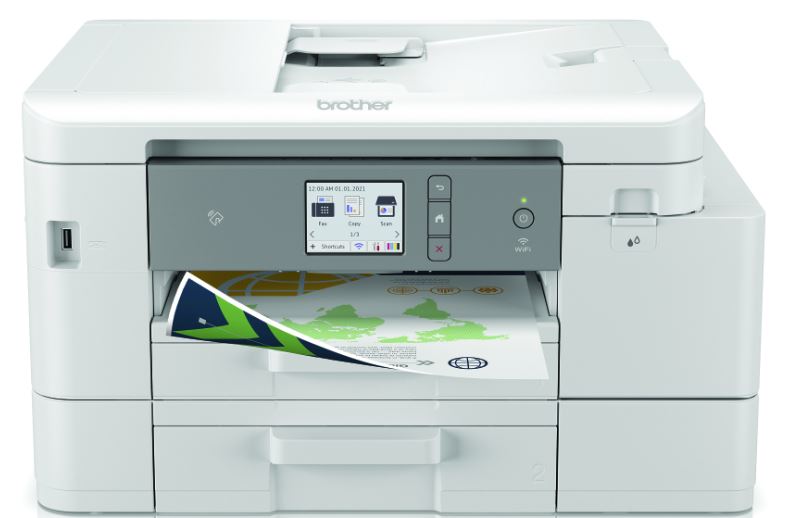
A second entry for team inkjet printer is the Brother MFC-J4535DWXL. A professional standard A4 inkjet printer, it’s just as adept at being an all-round multifunctional office printer as it is being used as for working from home with its wired and wireless connectivity, huge capacity Brother ink cartridges and twin paper trays.
Key Features
Connectivity options a plenty. Small and home offices don’t often call for a wired network connection because there aren’t often multiple users. What these offices don’t often have is lots of floor space or desk space. This can mean the printer can’t be within easy reach of a PC or laptop but thankfully this isn’t an issue for the MFC-J4535DWXL because it has wireless connectivity and app printing for mobile devices.
Quality prints. When considering a printer it is also important to consider your audience. Is your work going to be seen by just you and possibly a small handful of other employees or are you handing out presentation copies to your customers or potential customers? The Brother MFC-J4535DWXL offers incredible text and image reproduction with a print resolution of 4800 x 1200 dpi (dots per inch).
Ink, ink and more ink! I’d normally consider ink cartridges that have the capacity to print between 1,000 and 2,000 pages to be incredibly substantial but the high capacity LC426XL inks offer an incredible page yield of up to 5,000 pages on each of the individual colours (cyan, magenta, yellow) and up to 6,000 from the black. That sort of page yield is in the toner cartridge territory.
Pros and Cons
Pros
- Affordable initial purchase price
- 2 paper trays as standard
- High capacity ink cartridges
- Auto duplex printing
- Recycled cartridges available
Cons
- Requires regular use to stop printheads drying up
- Poor photo reproduction
- Copies could be sharper
- Slower print speeds
- Quite large for an inkjet printer
Why I chose it
Yes it may be an inkjet printer and I realise in most offices they aren’t the most suitable but the Brother MFC-J4535DWXL nails it for small offices and for those that work from home. It has substantial print speeds, not lightning fast but fast enough for most business needs as well as producing excellent quality printed text. The photo reproduction isn’t quite as good but that isn’t where the focus is for this machine.
It can be loaded with plenty of paper, and not just plain A4 either, so you won’t need to be topping it up multiple times a day, maybe just a couple of times a week.
I really liked the flexibility Brother offer with connectivity as well. If you have the space you could have it sat next to you or located almost anywhere because of the reliable wireless connection as well as the multitude of mobile app printing options.
Summary
If you have a small office and you don’t want to shell out significant money for a laser printer with all the features this Brother printer has then I ask you, why would you need to look any further? For me it ticks the office essentials boxes though I’d carefully consider the capacity of the cartridges to purchase because there is the risk that, if you did buy the high capacity (XL) inks and didn’t do anywhere near that printing, the printheads could clog up with dried up ink. My advice in this instance would be to buy the standard capacity cartridges that still offer up to 1,500 pages of colour and 3,000 pages of black.
I’ve provided more information about what I believe to be the best home office printers of 2024 in another article that you can read anytime.
Xerox VersaLink B600DN
Overview
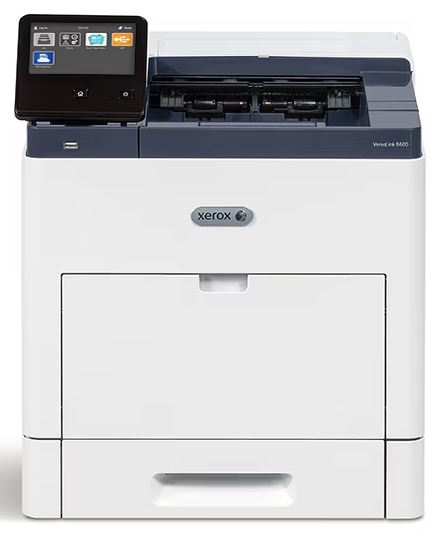
If I did star ratings on this blog the Xerox VersaLink B600DN would get 5 stars. For large offices this Xerox really is the top choice. This is my only pick for a mono laser printer because it can print up to 58 pagers per minute (ppm) and has a crazy large monthly duty cycle of up to 25,000 pages. This is a superb workgroup printer.
Key Features
Insane print speed! What is it we value most in a printer in a large office? It’s the print speed. I know from experience that in large offices there will be lots of users and each of those users will want to collect their printouts fast. Thankfully the B600DN will churn out around 58 pages per minute so there won’t be any downtime, even for larger print jobs.
Huge paper capacity. Yes this has come up with several of the other printer models I’ve covered in this blog but it is probably more important for this model than the others. Just imagine you have a printer with the print speed of the B600DN but it has a tiny paper tray and how frustrating that would be to refill it multiple times a day. The B600DNs main paper tray can take 550 pages of A4 paper.
Modular upgrades. This printer doesn’t come stacked with features, as is fairly standard for most mono laser printers. What the B600DN does allow you to do is to purchase upgrade components separately. Don’t get me wrong, these upgrades such as a 2,000 sheet high capacity feeder, a finisher with stacking and stapling, a 4 bin mailbox and a wireless kit, just to name a few. They do come at a substantial additional cost but they aren’t upgrades forced upon you by Xerox.
High capacity consumables. The high capacity Xerox toner cartridges for this printer is capable of printing almost 47,000 pages and even the standard capacity is capable of printing up to 10,300. That’s an insane amount of pages from a single toner cartridge. Not only that, because they are powder based and providing they are properly stored they will sit on the shelf or in the printer without risk of drying out and clogging up. Add to that the 250,000 page duty cycle makes the B600DN high capacity in almost every regard.
Pros and Cons
Pros
- 3 different capacity toners available
- Fast print speed
- Low maintenance costs
- High capacity paper tray
- Modular upgrades available
Cons
- High initial purchase price
- No scanning or copying
- Big and bulky design
- No Wireless printing as standard
Why I chose it
I picked the Xerox VersaLink B600DN because it offers incredible performance for large offices that require an easy to use mono laser printer. It also has the capacity to grow with business needs with the modular upgrades and it can keep costs down with large duty cycle and high capacity toners.
It does of course have its limitations but as a printer in its purist form, it absolutely nails what you’d want from a large workgroup printer.
Summary
Yes it has a big price tag and physically it’s big, measuring 427 x 466 x 443 mm (HxWxD) and weighing over 22 kilograms and that doesn’t take in to account any of the modular upgrades that can be added. What I’m getting at is that you’ll need some space for this printer but if you have a requirement for it, the B600DN won’t let you down and it won’t cost you a fortune doing it either!
My Final Thoughts
I’ve covered plenty of information here and hopefully after reading this that information is clear and has provided a proper insight to help you decide or at least guide you in making the right choice of printer for your office.
It is a common misconception that inkjet printers are only suited for home use and that laser printers are suitable on for large and busy offices with hundreds of employees. I’ve covered inkjet printers that are great for small to medium offices and suggested the Canon Color imageCLASS MF656CDW laser printer could be used at home or in student residences. My point is to do thorough research before purchasing as you may well end up with something that just isn’t suitable having spent far too much or far too little and you’re straight back at square one with yet more money to spend.
Blog Author: Simon Cross is the engaging and knowledgeable voice behind the insightful articles on printers and printer consumables at IJT Direct, an ecommerce store renowned for its comprehensive selection of printers, printer consumables, and hardware. View Simons author page to find out more about him.
Browse Our Top Ink Cartridges