
Top 5 Cheapest Inkjet Printers of 2024 | Printing Solutions for Every Budget
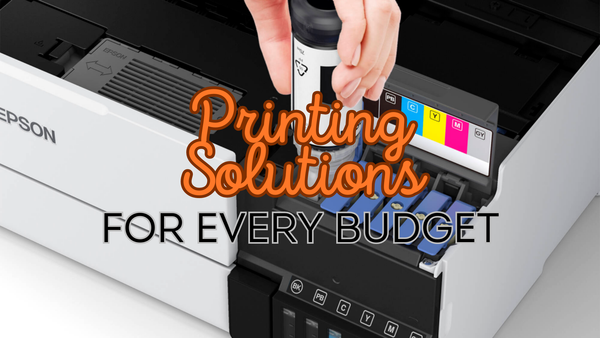
When it comes to finding the best cheap inkjet printer, the answer really depends on your specific needs and preferences. Everyone's printing requirements vary, so it's important to consider the features and qualities that matter most to you. By focusing on what you truly need in a printer, you can make an informed decision and choose the model that best fits your budget and usage.
The Cheapest Inkjet Printers to Buy Upfront
Canon Pixma TS3350
A great option for a budget inkjet printer is the Canon Pixma TS3350, it's a super reliable and versatile choice for those looking to save money without compromising on essential features.
Pros
- Affordable outright price - Making it accessible for budget-conscious buyers.
- Wireless connectivity - Supporting Wi-Fi which allows you to print from various devices, including smartphones and tablets.
- Small footprint - The TS3350 has small footprint makes it ideal for limited spaces, such as small or home offices.
Cons
- Print speed - Unfortunately the print speed is not the best compared to other up market models, but this is expected for such an affordable multifunction machine.
- Expensive original Canon ink - On-going ink costs can get expensive for this machine, so I’d recommend switching over to recycled Canon ink cartridges
What I Thought
The Canon Pixma TS3350 has an impressive balance of affordability and good features. It’s perfect for the budget conscious user who needs a reliable printer for everyday use without costing a fortune.
Now, while it doesn’t have the fastest print speeds or top of the range features, it performs well for its price point, delivering good quality prints and convenient wireless functionality.
The compact design is a plus for those with limited space, and the easy setup process ensures you can start printing quickly.
I answer all the most important Canon ink cartridges FAQs.
My Advice
Okay so this printer is perfect for the budget conscious user who wants a multifunctional printer without having to fork out too much money.
The perfect user type would be someone who doesn't do a lot of printing, but a wide variety of tasks such as printing, scanning, faxing etc. So for this type of user this Canon will perfectly fill our needs while saving money and space.
However, if print speed and ink costs are a concern to you then there is definitely a higher quality up market which will suit you better, just be prepared to pay for that better quality.
Epson Expression Home XP-2200
The Epson Expression Home XP-2200 is a compact all-in-one printer designed for home use. It combines printing, scanning, and copying capabilities in one to give you a neat space-saving design.
I’d say this printer is aimed at users who need a reliable and easy-to-use device for everyday tasks, without having to fork out upfront.
Pros
- Compact Design - This printer's compact footprint is really impressive, making it ideal for homes with limited space. It can easily fit on a desk or shelf without taking up too much room.
- Wireless Printing - Supporting Wi-Fi connectivity, allowing you to print from your computer, smartphone, or tablet without the need for cables. It also supports mobile printing solutions like Apple AirPrint and Google Cloud Print.
- Affordable - One of the best things this printer has going for it is its affordability, making it an attractive option for budget-conscious users who still want a reliable all-in-one inkjet printer.
Cons
- Paper Capacity - The paper tray holds only 50 sheets, which may not be sufficient for users with higher volume printing needs.
- Basic features - The Epson XP-2200 lacks some advanced features found in more expensive models, such as an automatic document feeder (ADF) and duplex printing, which may limit its functionality for some users.
What I Thought
In my eyes the Epson Expression Home XP-2200 is a really solid choice for home users who need a basic, reliable cheap inkjet printer for everyday tasks. Its compact design and wireless capabilities make it convenient and easy to use, especially in smaller spaces.
I’d say the print quality is satisfactory for standard documents and occasional photo printing, but when you consider its price point the quality is impressive. Recycled Epson ink cartridges are also readily available and are cheaper than original Epson ink.
However, the limited paper capacity and lack of advanced features might be a drawback for users with more demanding printing needs.
My Advice
If you're looking to buy a cheap inkjet printer this printer here is an excellent contender. It does everything that a cheap inkjet should do for the budget conscious user.
Okay this printer is cheap to buy, and doesn’t cost much for the occasional print but if you start doing high volume printing you’ll soon rack up a fortune on ink cartridge bills.
Therefore, If you need a simple, affordable printer for occasional use and can manage with the limited paper capacity and basic features, this model is a good fit. It's particularly well-suited for households that need a compact printer for occasional document printing and scanning.
For users who require more advanced features, such as an automatic document feeder or larger paper capacity, it might be worth investing in a higher-end model. However, for basic home use, the Epson Home XP 2200 offers great value and convenience.
Canon Pixma MG3660 Inkjet
Next up is the Canon Pixma MG3660 Inkjet Printer, which is a versatile all-in-one device designed for home and small office use. It offers printing, scanning, and copying capabilities with a focus on convenience and high-quality output.
Here’s a detailed look at the pros and cons of this printer, along with our overall thoughts and advice on whether it’s the right choice for you.
Pros
- Excellent Print Quality - With a resolution of up to 4800 x 1200 dpi. Whether you’re printing documents, photos, or graphics, you can expect sharp and vibrant results.
- Wireless Printing - This allows you to print and scan from your computer, smartphone, or tablet. It also includes support for mobile printing solutions like Apple AirPrint, Google Cloud Print, and Canon’s PRINT app for added convenience.
- Duplex Printing - Automatic duplex (double-sided) printing helps save paper and reduces printing costs. This feature is especially useful for printing lengthy documents and reports. My blog will help you choose the best paper for printing.
Cons
- Print Speed - The MG3660 has relatively slow print speed compared to other models in its class. Although perfect for a quiet home office or small business.
- Complicated Navigation - I find it a bit tough to navigate as there is no touchscreen display to work my way around, luckily this is a simple machine.
What I Thought
I thought the Canon MG3660 inkjet printer offers a great balance of quality and functionality for home and small office users. For me, the high print quality and wireless connectivity are standout features that enhance convenience and usability.
Also the automatic duplex printing is a valuable addition for those looking to save on paper costs and be more environmentally friendly.
However, the slower print speed and the absence of an LCD screen may pose challenges for users with higher volume needs or those who prefer a more intuitive interface.
My Advice
Okay so I would say this printer is an excellent choice for budget conscious users who prioritise print quality and wireless convenience over speed. It’s very well-suited for households or small offices that just need a reliable printer for occasional use.
For those who need to print large volumes quickly or prefer a printer with an LCD screen for easier navigation, you might want to explore other options. Although for this budget price you may be limited.
However, for high-quality prints and a seamless wireless experience, the Canon MG3660 is a solid and good budget choice.
The Cheapest Inkjet Printers to Run
Epson EcoTank ET-5850
When it comes to eco-friendly printing, the Epson EcoTank ET-5850 printer is the absolute best not just in quality and features but also in sustainability. With a jumbo paper tray and a large ink capacity that keeps on going, it's perfect for both the environment and your budget.
Pros
- Refillable ink tanks - This will significantly reduce your ink costs per page and saves you big money in the long run.
- High volume printing - This printer handles high-volume printing effortlessly; it will definitely keep up with even the fastest paced office.
- Paper capacity - Having a massive paper tray is a huge plus, as it means less frequent refilling and more printing, saving you both time and money.
Cons
- Upfront costs - The upfront cost of this machine is pretty up market, but absolutely worth the investment when you consider how much you save on ink costs with frequent use.
- Large footprint - This Epson can be pretty bulky, but no issue for the average office.
What I Thought
This printer is a champion in both eco-friendliness and performance. The refillable ink tanks are so unique and a game changer, especially for those who frequently print large volumes, saving you a significant amount on ink over time. I also try and answer all of your Epson ink cartridge frequently asked questions.
The large paper trays minimise the need for constant refilling, meaning you're not breaking your focus getting up and down trying to find paper and ink bottles.
The multifunctionality was great, basically handling all tasks an office or home printer would need to do.
Another thing to note was that the user-friendly touchscreen interface makes the machine really simple to navigate, so you don't waste time figuring out the controls.
My Advice
If you're conscious about your printer ink budget and the environment, but you are also set on an inkjet then this model is an excellent fit for you.
Its economical use of ink and paper makes the running costs very low, making it ideal for budget-conscious users who consider the long run cost of ink.
Although the upfront cost seems high, you’ll make your money back over time with the low running costs, especially if you’re planning to do a lot of printing
However, if you don't plan on doing much printing then I'd suggest the high upfront cost might not be worth it for you. If that is you then consider a more budget-friendly machine with lower initial costs.
Epson WorkForce Pro WF-4830
The Epson WorkForce Pro WF-4830 offers impressive features at an affordable price, making it a great choice for those seeking a cheap to run printer.
Pros
- Fast print speed - The WF-4830 has an impressive print speed, making it a standout choice for bustling home offices or small businesses requiring rapid document printing.
- Paper capacity - Its substantial paper capacity, divided between two trays, significantly reduces the frequency of paper replenishment. Moreover, this printer offers excellent value for money, from its purchase price to on-going ink costs.
- Hi cap inks - The printer's high-yield Epson ink cartridges result in low per-page costs, making it a budget-friendly option for moderate to heavy printing workloads.
Cons
- Larger footprint - The WF-4830's larger footprint of 425 x 388 x 330 mm might pose a challenge for those with limited desk space.
- Noise output - While not silent, the printer's noise level is generally acceptable in standard office environments.
What I Thought
In my honest opinion, the Epson WorkForce Pro WF-4830 is a stand out cost-effective printer, especially for users with significant printing demands.
This machine can print at decent speeds which make it great in a productive environment, as well as runs at a low cost per page making it affordable to run (especially with the high capacity cartridges)
My Advice
Now, the ideal user for this machine will value speed, efficiency, and affordability over much else.
It's an excellent option for home offices and small businesses that do a lot of printing but don’t want to be paying a fortune on ink cartridges over time. While the upfront cost is somewhat average, the benefit comes over time with the low cost of ink cartridges for this efficient machine.
Although for users with limited space or noise sensitivity, exploring more compact or quieter models might be a better fit.
Okay so it's important to note that while this printer delivers decent print quality and features for its price point, there are better quality prints on the market, just be prepared to pay for it. For those willing to invest a bit more, the best office printer for 2024 might be worth considering for superior print quality and enhanced features.
Canon Pixma G3270 Wireless
The Canon Pixma G3270 is great for both a small office and home environment, known for its high-quality prints and innovative ink system, this printer aims to provide a cost-effective and efficient solution for all your printing needs.
Pros
- MegaTank - The Pixma G3270 features a MegaTank ink system, which allows you to print thousands of pages with a single set of ink bottles. This significantly reduces the cost per page compared to traditional ink cartridges.
- Sharp & vibrant prints - With print resolution up to 4800 x 1200 dpi, the G3270 delivers sharp, vibrant, and professional-quality prints, whether you’re printing documents or photos.
- Wireless connectivity - It enables you to print from your computer, smartphone, or tablet without the need for cables. It also supports Apple AirPrint and Google Cloud Print for added convenience.
Cons
- Print speed - It does take a little while to print large documents. Which is why this is better suited to small offices and homes.
- No ADF - Unfortunately there is no automatic document feeder which means you’ll have to automatically load documents to scan and copy.
What I Thought
Now, overall the Canon Pixma G3270 Wireless printer offers excellent value for money, especially for users who prioritise print quality and cost-effectiveness over speed.
For me, the MegaTank ink system is a standout feature, drastically reducing the long-term cost of printing and making it a great choice for households or small offices with moderate printing needs.
On top of that, the wireless connectivity and compatibility with various mobile printing solutions add to its convenience.
However, the slower print speed and lack of an automatic document feeder may be drawbacks for some users.
If your printing tasks are generally low to moderate in volume and you can tolerate the slower speed, the G3270 is a solid choice.
My Advice
The perfect person for the Canon Pixma G3270 wireless printer is one that wants an inkjet that offers high quality prints at a low running cost.
In my opinion It’s particularly well-suited for users who do a lot of colour printing, such as photos or graphics-heavy documents, due to its superior print resolution and vibrant colour output.
Although the print speed on this machine wasn't that great, so for users who need to print large volumes quickly or frequently handle multi-page documents, you might want to explore other options with faster print speeds and additional features like an automatic document feeder.
In conclusion, the Canon Pixma G3270 is a reliable and economical inkjet printer choice for those who value print quality and cost savings over speed and advanced features.
Conclusion
So there it is folks, my comprehensive review of the cheapest inkjet printers.
Remember, the Canon Pixma TS3350, Epson Expression Home XP-2200 and Canon Pixma MG3660 Inkjet are three great options for you to consider as inkjet printers that are cheap upfront.
They are all slightly different in features and qualities so you'll have to make an informed decision about which model is best for you.
We also looked at the cheapest inkjet printers to run, these included the Epson EcoTank ET-5850, Epson WorkForce Pro WF-4830 and Canon Pixma G3270 Wireless.
These models are recommended for those who are willing to put down a large investment for saving over the long run on printer ink cartridges. These are best suited for those who do a lot of printing.
Blog Author: Simon Cross is the engaging and knowledgeable voice behind the insightful articles on printers and printer consumables at IJT Direct, an ecommerce store renowned for its comprehensive selection of printers, printer consumables, and hardware. View Simons author page to find out more about him.
Browse Our Top Ink Cartridges