
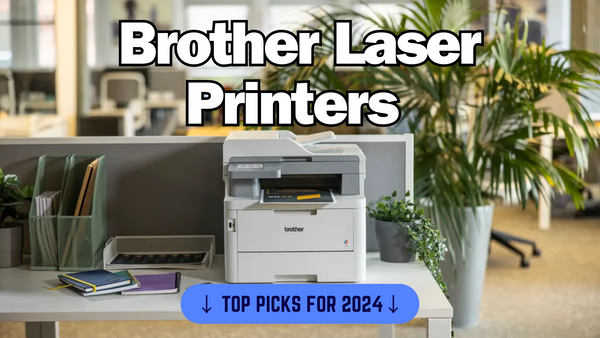
The Best Brother Laser Printers of 2024: Top Picks for Home and Office
Perfect for Teams
- Fast print speeds (31 ppm)
- Versatile: prints, scans, copies, and faxes
- Large paper capacity
High-volume Printing
- Fast, high-quality colour printing
- Strong security features
- Easy mobile and wireless printing
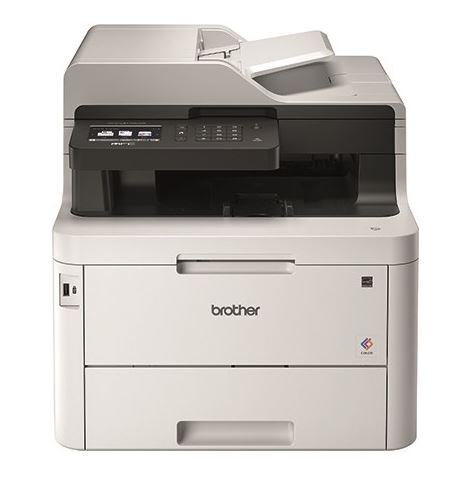
Multitasking for Small Offices
- Ideal for small spaces
- Wireless and mobile printing
- 4-in-1 functionality
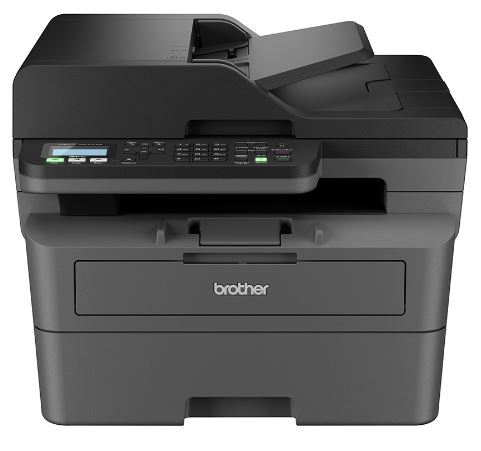
Mono Laser Printing
- Cheap running costs
- Compact and easy to set up
- High-speed printing (32 ppm)
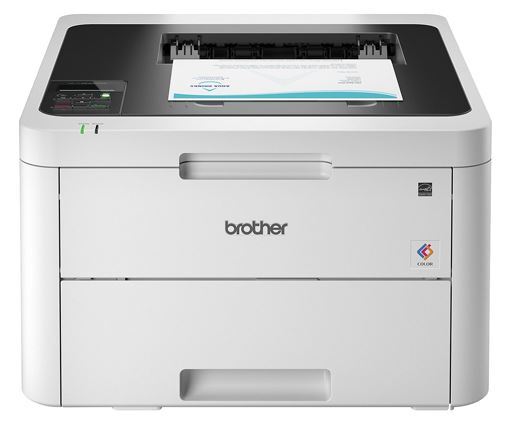
Affordable Colour Laser Printing
- High-quality colour printing
- Compact and reliable
- Wireless and mobile printing
Finding the perfect printer can be overwhelming, especially when there are so many options out there. But don’t worry; I’ve done the legwork for you.
In this guide, I’ve broken down the best Brother laser printers on the market, covering everything from performance and print quality to ease of use and cost efficiency.
Whether you’re running a small business or just need a reliable home office printer, this guide will help you find the perfect match! Let’s dive in and explore the best Brother has to offer.
If you want to know more about the best HP laser printers then make sure to check out my last blog.
How We Rank These Printers
Performance
I look at how well these printers handle everyday tasks. Is it fast? Can it print a big document without slowing down? I test how reliable the printer is when it comes to avoiding jams or errors (I intentionally overload the paper tray to see how well it handles potential jams). Speed is great, but not if it’s inconsistent.
Print quality
Using our specifically designed IJT print quality test page, we put the printer through a vigorous test. When I print, I want the results to look sharp. That’s what I focus on here. Whether it’s plain text or a full-colour image, I expect clean, crisp results. I check how it handles different types of print jobs, from simple documents to high-detail photos.
Ease of setup
I don't want to spend hours setting up a printer, and I bet you don’t either. I check how easy it is to get started—how fast can I unbox it, connect it, and start printing? This includes things like connecting to Wi-Fi, using the app, or even just getting the printer to play nice with my phone or computer.
Cost efficiency
I always look at the long-term costs. Sure, a printer might be affordable upfront, but how much are the ink cartridge or toner cartridge refills? I dig into how efficient it is with consumables. Plus, I consider the energy it uses and if it has any features to help keep running costs low over time.
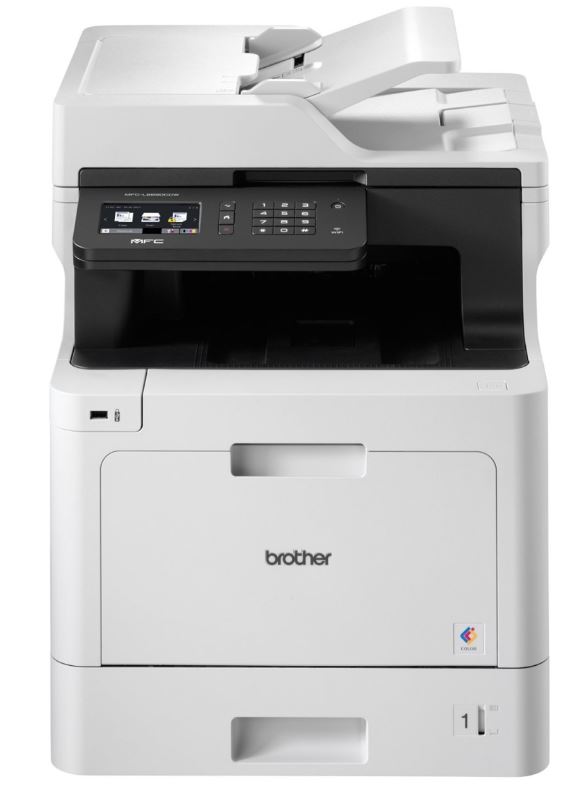
Brother MFC-L8690CDW A4 Colour
The Brother MFC-L8690CDW was created for small to medium-sized businesses needing a reliable, fast, and feature-rich colour laser printer. It suits the office very well because of its all-in-one functionality.
This makes it very useful for people in the office with every day printing tasks. Its speed (31 pages per minute) and vibrant colour printing make it a great choice for high-volume work environments.
Due to these features, I have considered this one of the best Brother laser printers available on the market right now. Let’s dig a little deeper into the pros and cons of this printer.
My experience
From my experience, this printer feels solid. It’s not a lightweight device, but that gives it a premium, durable feel. The paper trays slide smoothly, and all the buttons and the touchscreen are responsive.
The cost per print is competitive for a colour laser printer, especially considering its efficiency. It uses high-yield Brother TN-423 toner cartridges, which can lower the cost per page over time.
Pros
- Fast print speeds (31 ppm)
- High-quality colour output
- Versatile: prints, scans, copies, and faxes
- Large paper capacity with multiple tray options
- Secure print features for office use
Cons
- It’s bulky and heavy.
- Initial cost is on the higher side.
- Noisy when printing large jobs.
Specification overview
- Print Speed: 31 ppm (colour and mono)
- Resolution: Up to 2400 x 600 dpi
- Paper Capacity: 300 sheets (expandable)
- Connectivity: Wi-Fi, Ethernet, USB, NFC
- Functions: Print, Scan, Copy, Fax
- Dimensions: 435 x 526 x 539 mm
- Weight: 27.9 kg
Why I picked it
I picked the Brother MFC-L8690CDW because it just gets the job done to a high quality, and a fast speed. If you’re running a busy office or even a small business, this thing is a total workhorse and ideal for you.
The print speed is solid, and the colour output is sharp, which is exactly what you need for professional work. Plus, the setup was a breeze, and I can print directly from my phone. It's not the quietest, but the speed, reliability, and ease of use make it a no-brainer for me.
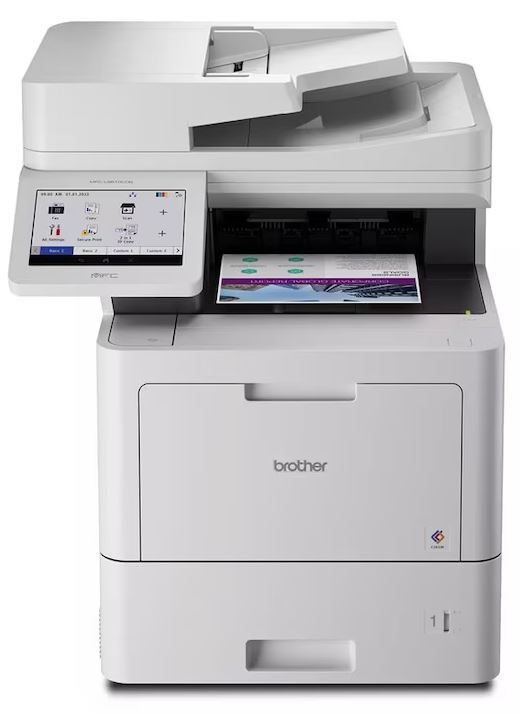
Brother MFC-L9610CDN
The Brother MFC-L9610CDN is a high-performance colour laser printer designed for businesses that need fast, reliable printing. Setting this up was straightforward. The instructions were clear, and within minutes, I had it connected to both my network and devices.
Similar to the MFC-L8690CDW, the MFC-L9610CDN also offers high-quality colour printing, but with added security features that make it ideal for handling sensitive documents.
My experience
The design is sleek but sturdy. It has a modern look without being too flashy, and it fits well in any professional setting. It’s a bit bulky but not overwhelmingly so for the features it offers.
Navigating through its touchscreen is easy. Everything is intuitive—from printing to scanning, you don’t need to dig through complicated menus. The wireless printing feature makes it incredibly convenient.
Pros
- Fast, high-quality colour printing
- Strong security features
- Large paper capacity
- Easy mobile and wireless printing
Cons
- Larger size may not fit small spaces
- Higher initial cost
Specification overview
- Print Speed: 31 ppm (colour and mono)
- Resolution: Up to 2400 x 600 dpi
- Paper Capacity: 520-sheet tray (expandable)
- Functions: Print, Scan, Copy, Fax
- Connectivity: Ethernet, Wi-Fi, USB, NFC
- Dimensions: 495 x 526 x 650 mm
Why I picked it
If you're running a small business or a busy office, this is a printer you want to check out. I’d recommend the Brother MFC-L9610CDN to anyone who needs something reliable for high-volume printing but also cares about security.
It’s fast, handles big print jobs without breaking a sweat, and the NFC feature makes secure printing super easy. If you’re dealing with sensitive documents or need something that can keep up with daily tasks without constant supervision, this is your printer. Perfect for teams that value efficiency.
Brother MFC-L3770CDW 4-in-1
The Brother MFC-L3770CDW is a versatile 4-in-1 colour laser printer designed for small offices and home offices. The print quality is excellent for both text and graphics, and it supports wireless printing, making it easy to print from your phone or laptop.
From what I have seen online, the reviews show that users love its speed and reliable performance. The wireless setup is often mentioned as a big plus, with many appreciating the clean, crisp colour prints. Some people have mentioned they find the machine a bit noisy but still value its overall functionality.
My experience
For what it offers, this printer is great value for money. It’s not the cheapest, but considering its performance and the cost of consumables, it’s a solid investment for small businesses or busy homes.
While both the MFC-L3770CDW and MFC-L9610CDN excel in wireless functionality, the MFC-L3770CDW is more compact, making it better suited for home offices.
Pros
- Compact design for small spaces
- Fast, high-quality colour printing
- Supports wireless and mobile printing
- 4-in-1 functionality (Print, Scan, Copy, Fax)
Cons
- Can be noisy during operation
- A bit on the heavier side
- Slightly higher upfront cost
Specification overview
- Print Speed: 24 ppm (colour and mono)
- Resolution: Up to 2400 x 600 dpi
- Paper Capacity: 250 sheets
- Functions: Print, Scan, Copy, Fax
- Connectivity: Wi-Fi, Ethernet, USB
- Dimensions: 410 x 509 x 414 mm
- Weight: 24.5 kg
Why I picked it
If you need a machine that can handle everything (printing, scanning, copying, and faxing) without taking up a ton of space, this one’s a winner. I picked it because it combines all the features you’d want for a small office into one reliable unit. It also has high capacity Brother TN-247 toner cartridges with page yields of 3,000 from the black and 2,300 from each colour (based on 5% page coverage).
The wireless printing is a breeze to set up, and the print quality is consistently sharp. If you’re someone who needs a multitasking workhorse, this printer is going to save you a lot of hassle.
Brother MFC-L2800DW
The Brother MFC-L2800DW is an all-in-one monochrome laser printer. Designed for small offices, it delivers fast and efficient printing with a strong focus on cost-effectiveness. It was created to provide businesses with a multifunction solution that doesn’t sacrifice performance.
My experience
Considering its all-in-one capabilities and low running costs, this printer offers excellent value. It’s probably one of the best budget-friendly Brother printers, especially in terms of long-term toner costs.
With high-yield Brother TN2510XL toner cartridge options, the cost per print is kept low. This makes it economical for high-volume printing. The only downside is that it’s only available in black and white printing.
Pros
- Affordable with low running costs
- Compact and easy to set up
- High-speed printing (32 ppm)
Cons
- Lacks colour printing
- No automatic double-sided scanning
Specification overview
- Print Speed: 32 ppm (mono)
- Resolution: Up to 1200 x 1200 dpi
- Paper Capacity: 250 sheets
- Functions: Print, Scan, Copy, Fax
- Connectivity: Wi-Fi, Ethernet, USB
- Dimensions: 409 x 398 x 316 mm
- Weight: 10.3 kg
Why I picked it
I picked the Brother MFC-L2800DW because it’s ideal for anyone who primarily needs black-and-white documents. It’s perfect for law offices, accounting firms, or businesses where colour isn't a priority but speed and cost-efficiency are essential.
The lack of colour printing keeps costs low, and with fast, high-volume mono printing, it’s a great fit for heavy document workflows. If your focus is on invoices, reports, or legal documents, this printer will handle it all without the extra expense of colour toners you don’t need.
Brother HL-L3230CDW
Unlike the MFC-L2800DW, which is a monochrome printer, the HL-L3230CDW provides vibrant colour prints, making it a better fit for businesses that rely on visual presentations. It offers fast, reliable printing with vibrant colour output and supports wireless printing, making it a great choice for those who need quality colour documents on demand.
My experience
In day-to-day use, this printer is reliable and delivers clear, professional colour prints. It's perfect for presentations, reports, and flyers. The print speed holds up well, even when handling larger jobs.
Built to last, the HL-L3230CDW feels solid and well-made. It can handle moderate workloads with ease, and its components are built to endure frequent use without major wear. This printer offers great value for the features it packs. The cost per print, especially for colour documents, is reasonable.
Pros
- High-quality colour printing
- Affordable running costs
- Compact and reliable
- Wireless printing and mobile compatibility
Cons
- No automatic duplex scanning
- A bit slow for heavy workloads
Specification overview
- Print Speed: 18 ppm (colour and mono)
- Resolution: Up to 2400 x 600 dpi
- Paper Capacity: 250 sheets
- Connectivity: Wi-Fi, Ethernet, USB
- Dimensions: 410 x 461 x 252 mm
- Weight: 17.4 kg
Why I picked it
I picked the Brother HL-L3230CDW because it’s a perfect blend of performance and affordability for colour printing. For small offices needing professional-looking documents without breaking the bank, this printer checks all the boxes.
It’s compact, easy to set up, and delivers great colour quality for presentations or marketing materials using the Brother TN-243 or high capacity TN-247 toner cartridges. Plus, the wireless printing makes it incredibly convenient when working across multiple devices.
Final Thoughts
So, if you're in the market for a reliable Brother laser printer, it really comes down to what you need most. Whether its high-speed colour printing, cost efficiency, or all-in-one functionality, there’s something here for everyone.
I’ve tested these printers thoroughly, and each one has its strengths. For high-volume offices, the Brother MFC-L9610CDN is a beast, while the Brother MFC-L8690CDW strikes a great balance for small businesses. Ultimately, picking the right one is about understanding your priorities, but these printers are all top-tier options!
Blog Author: Simon Cross is the engaging and knowledgeable voice behind the insightful articles on printers and printer consumables at IJT Direct, an ecommerce store renowned for its comprehensive selection of printers, printer consumables, and hardware. View Simons author page to find out more about him.
Browse Our Top Ink Cartridges