
Best Canon Inkjet Printers | Buyers Guide
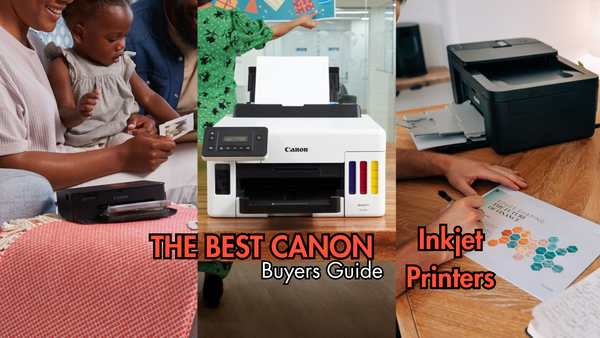
In this blog I’m reviewing the best Canon inkjets as part of my series where I test and rate different printer categories to give you the inside scoop. If you missed my last blog, the best wireless printers in 2024, make sure to check it out on my blog.
Everyone is going to have different printing needs, so when it comes to the best Canon inkjet the final say is up to you. Just be sure to do your research so you can make an informed decision about the best printer for you.
Overview of Canon Inkjet Printers
In my opinion Canon inkjets will always be a popular choice in any home or office. They offer a great mix of functionality and affordability that’s hard to beat, especially if you're like me and need something reliable for both personal and work-related tasks.
So whether you’re printing documents for your business, photos for your personal projects, or crafting creative materials, Canon inkjets have proven to be versatile and user-friendly.
The Pros of Canon Inkjets
Versatility
As someone who juggles multiple tasks, from printing business reports to crafting materials for DIY projects, I’ve found that Canon printers can handle a wide range of printing needs with ease.
Multiple media types
Whether you need to print on standard paper, photo paper, or even envelopes and labels, Canon inkjets deliver consistent results across different media types.
Easy to use
I have found that Canon Inkjets tend to be easy to navigate and use. Also, setting up the printer is straightforward even for those who might not be tech-savvy. The user interface is intuitive, and I’ve found the Canon PRINT app to be especially handy for printing directly from my smartphone.
So, in terms of cost-effectiveness, Canon inkjets fare well. The initial expense is reasonable for what you get and the on-going costs are affordable. Canon ink cartridges are competitively priced, and with High and Extra High (XL, XXL) capacity cartridges, you can get more prints per cartridge, saving you money in the long run.
The Cons of Canon Inkjets
No printer is perfect, and Canon inkjets have their downsides.
Print speed
The most significant issue I’ve encountered is speed. While the print quality is excellent, Canon inkjets aren’t the fastest printers on the market.
That means if you regularly need to print large volumes of documents quickly, this might be a limiting factor. I’ve noticed this particularly when printing in high-resolution modes or when producing multiple photo prints at once.
Paper capacity
Most canon inkjets have a somewhat small input tray which means you may find yourself having to refill the printer with paper. This only actually becomes an issue when you do high volume printing
Who Should Consider a Canon Inkjet?
Okay so who is a canon inkjet best for? A Canon inkjet is ideal for someone who values versatility and needs a reliable printer for both personal and small business use. If you’re someone who enjoys crafting, printing various types of media, or needs to print documents and images regularly, a Canon inkjet could be a great fit.
It’s also well-suited for users who prefer ease of use and appreciate the convenience of wireless printing from various devices. However, if speed is a priority or you need a printer for heavy-duty, high-volume tasks, you might want to explore other options.
Best Canon Inkjets
Canon Pixma TS6350A
The Canon Pixma TS6350A really impressed me during our tests, it definitely proved itself a great compact all-in-one printer for home and small office use. This printer offers high-quality prints, wireless convenience, and a sleek design, making it a great choice for everyday printing needs and vibrant photo output.
Pros
- Wireless - Making it super easy and convenient to print from multiple devices, including smartphones and tablets.
- Duplex printing - With the automatic double-Sided printing, this is really great for saving paper but also space when filing documents.
- Versatile - Above all else this machine is versatile. Its capable of printing, scanning, and copying, making it a useful all-in-one device.
Cons
- Consumables - Replacement cartridges can be expensive, especially if you print frequently. So for this printer I’d recommend switching over to recycled Canon PGI-580 CLI-581 ink cartridges.
- No ADF - Unfortunately there is no automatic document feeder meaning scanning or copying multiple pages manually can be time-consuming.
My Advice
In my opinion the Canon Pixma TS6350 is ideal for casual home users, students, or small office environments where high-quality photo printing and wireless convenience are priorities.
It’s perfect for those who print moderately and have limited space. However, if you need fast, high-volume printing or frequently scan multi-page documents, you may want to explore other options with lower ink costs and an automatic document feeder.
Canon Pixma TS3350
The Canon Pixma TS3350 is an excellent budget-friendly inkjet printer that offers impressive features without breaking the bank. Ideal for home use, it delivers good-quality prints for documents and photos, while its compact design fits neatly into any space. With easy wireless connectivity and user-friendly controls, the TS3350 is perfect for those seeking affordability and convenience in their printing needs.
Pros
- Wallet friendly - The TS3355 is honestly one of the most budget-friendly options on the market, making it accessible for anyone from casual home users to students.
- Multi-device printing - I love how this printer supports Wi-Fi connectivity, allowing you to print from mobile phones, tablets, and other devices without cables which is a huge plus.
- Easy to use - Very simple setup and use, it's ideal for those who want a straightforward printing experience straight out of the box.
Cons
- Photo quality - For mainly text based documents the printer quality is almost second to none but the quality isn't as sharp or vibrant as higher-end models for photos.
- No duplex printing - This printer lacks the ability to print double-sided automatically, which means paper can get expensive.
- 2 ink cartridge system - Unlike a lot of other inkjet printers, the TS3350 has a single black and tri-colour cartridge. Not so much of an issue for the black but the tri-colour cartridge means replacing the whole cartridge when 1 colour runs out. Using recycled Canon PG-545 and CL-546 ink cartridges will help reduce your costs.
My Advice
The Canon Pixma TS3350 is a solid choice for those on a tight budget who need a simple, easy-to-use printer for basic tasks like printing documents or occasional photos. It’s ideal for students, light home office users, or anyone looking for an affordable printer with wireless capabilities.
However, if you need higher-quality photo prints or more advanced features like automatic duplex printing, you might want to consider investing in a more advanced model.
Canon imagePROGRAF PRO-300
The Canon imagePROGRAF PRO-300 stands out as a top choice for professional photo printing. Known for its exceptional print quality, this inkjet printer delivers stunning, true-to-life colours and deep blacks, making it ideal for photographers and artists who demand the best. With advanced technology and precision, the PRO-300 ensures every detail of your images is captured beautifully, making it a must-have for anyone serious about their craft.
Pros
- Wide range of colours - This printer impressively has 10 inkjets to print with, creating a wide range of available colours. This includes dedicated red, blue, and grey inks, which produces vibrant and true-to-life colours.
- A3 and more - You’ll be able to print on various media types, including glossy, matte, and fine art papers, as well as borderless prints up to A3+ size. A huge plus for the creative types.
- Consistency - It's clear this printer is built to handle heavy workloads with consistency, offering high-quality output with minimal maintenance.
Cons
- Upfront cost - The upfront investment is high which may be a consideration for budget-conscious users. Although the quality and features are worth the money.
- Ink costs - The Canon PFI-300 ink cartridges means your consumables costs will be higher, especially for those printing in large volumes.
My Advice
The Canon imagePROGRAF PRO-300 is an excellent choice for professional photographers, artists, and serious hobbyists who require top-tier print quality and colour accuracy.
It's ideal for those who need to produce gallery-quality prints at home or in a small studio setting. However, the high initial cost and on-going ink expenses make it more suitable for users who prioritise quality over budget. If you’re looking for a professional-grade printer that balances compact design with exceptional output, the PRO-300 is worth the investment.
If you need a printer for simple tasks like small document printing, this printer may not be worth the price for you, so I’d recommend checking out more budget machines if this is you.
Canon PIXMA TR8620a
The Canon PIXMA TR8620a is a versatile all-in-one printer that's perfect for home offices and small businesses. With its compact design, it offers powerful features like automatic document feeding, duplex printing, and seamless wireless connectivity, making it easy to handle a variety of tasks from printing to scanning and faxing. The TR8620a delivers high-quality prints for both documents and photos, ensuring your business presentations and personal projects always look professional.
Pros
- All in one - Who doesn't love an all-in-one printer? This machine combines printing, scanning, copying, and faxing in one compact device, making it versatile for home and office use.
- ADF - I really rate that this printer automatic document feeder for easy scanning and copying of multiple pages.
- Touch display - My favourite feature on this machine is the 4.3-inch colour touchscreen display. It really simplifies navigation and control.
Cons
- Print speed - Unfortunately it's not the fastest in its class, which might be an issue for high-volume printing tasks.
- Ink costs - Replacement ink can be pricey, especially if you print frequently. XL and recycled cartridges help to keep our cost per page down.
My Advice
The Canon PIXMA TR8620a test results suggested it is a well-rounded choice for home offices or small businesses that need a multifunctional printer capable of handling a variety of tasks.
Its all-in-one capabilities, combined with excellent print quality and a user-friendly interface, make it ideal for users who need more than just basic printing.
However, if you frequently print large volumes or are concerned about ink costs, you might want to weigh these factors against its features.
Overall, it’s a great fit for those who value versatility and quality in a compact form but not wonderful for busy offices that do large volume printing.
Conclusion
So there we have it, that's my comprehensive review of the best Canon inkjets on the market.
While Canon inkjets have a good reputation in general, it's important to choose the right model based on your specific needs. If you prioritise print quality and versatility, there are Canon models that deliver outstanding results, even for professional use.
On the other hand, if you're on a budget or need a simple, no-frills printer for everyday tasks, Canon also has options that won't break the bank.
Ultimately, Canon inkjets are well-suited for those who value convenience, ease of use, and reliable performance. But as with any technology, it's essential to weigh the pros and cons of each model against your own requirements to find the best fit for you.
Blog Author: Simon Cross is the engaging and knowledgeable voice behind the insightful articles on printers and printer consumables at IJT Direct, an ecommerce store renowned for its comprehensive selection of printers, printer consumables, and hardware. View Simons author pageto find out more about him.
Browse Our Top Ink Cartridges