
The Best Wireless Printers 2024 | Handpicked by the Experts at IJT Direct
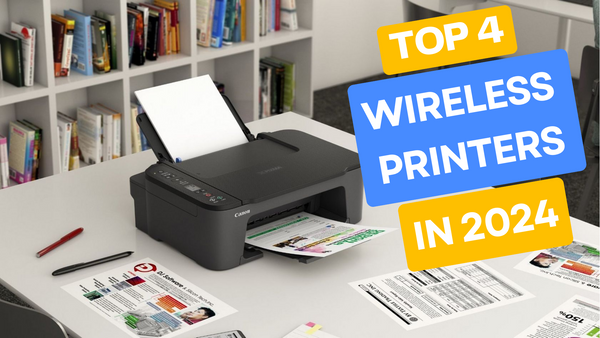
In my on-going series ranking the top printers, today we’re focusing on wireless printers. If you missed my recent blog on the cheapest inkjets of 2024, be sure to visit my blog page and catch up!
One thing all wireless printers have in common is they make printing seem effortless and convenient. The differences are they all come with different features and qualities, so when it comes to choosing the right one for you, you’ll need to make an informed decision of what's right for you.
What are the advantages of a wireless printer?
Wireless printers are very convenience
In my opinion the main advantage of a wireless printer is the freedom from cables. You can place your printer anywhere within range of your Wi-Fi router and you’re good to go. This way you’re no longer tied to your desk or dealing with the extra clutter of numerous cables.
The ability to print from any device is a significant benefit. Whether you’re anywhere in your home and using any device, you can easily send documents to your printer.
This is perfect for flexible printing, as you won’t need to email documents between devices before printing. Just a few taps, and you’re good to go.
Wireless printers are super easy to get set up. Now, even for the least tech savvy person wireless printers are straightforward to set up, usually just putting a Wi-Fi password in and the rest is automatic. On top of this, most wireless printers come with user-friendly apps or on-screen instructions, making the setup process a breeze.
I love how wireless printers come with dedicated apps. These apps make it so easy and simple to print, scan, and manage the printer from a device. Take it from me, wireless printers are easier to use than traditional printers.
Another plus point to using these apps is you can monitor levels of ink within the ink cartridges and order replacement cartridges, ensuring you get the right ones for your printer with just a few taps.
Wireless printers connect to multiple devices
This next one is a really big advantage for any busy household. A wireless printer can connect to multiple devices within the household and even accept print jobs simultaneously, queuing them up as they come in.
This is ideal for a busy household, allowing multiple people to print without needing to touch the printer, avoiding traffic jams, and eliminating the need to swap cables for each user.
In my opinion, cloud printing is one of the best features of wireless printers. With a service like Apple AirPrint, you can send documents to your home printer from anywhere. Whether you’re at a café or walking in the park, you can send a document home to be printed. This is the essence of flexible printing—you can now print from anywhere using your phone, enabling you to complete important tasks even when you're away from your printer.
Wireless printers are cost-efficient
I’m a big fan of the sleep mode feature on wireless printers. It's a huge plus for any household trying to reduce electricity bills.
Actually most wireless printers can enter sleep mode, consuming virtually no power until they receive a print job, at which point they wake up, complete the task, and return to sleep mode until needed again.
Not needing cables also saves money, as you won’t have to purchase or replace connectors or cables to run the printer. These costs can add up over the years, so avoiding them is definitely a benefit.
Best Wireless Printers
Canon Pixma TS3350
Alright after a great deal of testing by us the experts we all agreed upon the Canon Pixma TS3350 being one of the best wireless printers. This printer really does consistently produce stunning photos and crisp documents.
Pros
- I was super impressed with the compact and space-saving design, ideal for small home offices.
- The user-friendly setup and operation is a huge plus, making it accessible for anyone even if you're not tech savvy.
- This printer has a really affordable price point, offering good value for budget-conscious users.
Cons
- Print speed may be slower compared to higher-end models, although it's still great value for money
- There are limited connectivity options, lacking advanced features like Ethernet or Bluetooth, but no issue if you simply plan to use wireless.
My Advice
This model is definitely best suited for those looking to get the benefits of a wireless printer on a budget. This model is great for small offices, or quiet households where your printing needs are minimal, but you still want the convenience and flexibility of a wireless printer.
Also the fact this model is so simple to use makes it better for people who don't do a lot of printing.
While the printer has decent quality and is wireless, it isn't the best choice for dealing with high volume printing at speed. So for any large office or busy household it's recommended looking for something more up market.
Brother MFC-L8690CDW
This fantastic wireless printer offers a full range of features and impressive performance. The Brother MFC-L8690CDW printer delivers high-quality prints at an excellent speed, with various functions that make home printing a breeze. Although it comes with a higher price tag, the advanced capabilities make it well worth the investment.
Pros
- The high-speed printing is a real plus for this model, making it perfect for busy environments such as an office or full on household.
- Now let me tell you the quality of the printing is exceptional, definitely at a professional standard.
- I am really impressed with the feature set of this printer, from the duplex printing to the wireless connectivity.
Cons
- Okay so there is a high upfront cost for this model, but you definitely get what you pay for in terms of the quality and features.
- This machine is pretty bulky, requiring more space in your workspace.
My Advice
Okay, this model is best suited for a busy work environment that is going to need to print a high volume of quality prints at speed. It’s got all the features you’ll need to keep up with the workload and to make life easier.
This is definitely a higher-end model, so the initial price is high. In order to get your money's worth, you’ll have to be doing a lot of printing, and using Brother toner cartridges can ensure you maintain that quality over time.
If you are someone who doesn't do a lot of printing then I'd suggest looking into cheaper models, as if you won't be using the features of this Brother, you’ll get better value for money on cheaper models.
Epson WorkForce WF-2930DWF
Okay this next machine is a really excellent, versatile and affordable machine that's the powerhouse of a small office or household. The Epson WF-2930DWF is a great option if you are set on going wireless but don't want to pay excessively for it, and still want an array of features.
Pros
- I really rate how versatile this model is, offering printing, scanning, copying and even Faxing. This machine can cover it all.
- In my opinion this machine is priced very modestly considering its features and quality, making it great value for money without having to spend a fortune.
- Its super compact, especially considering it's an all-in-one.
Cons
- I would say that the print speed on this model is pretty slow compared to higher-end models.
- Also the cartridges may need frequent replacement for heavy users; however this is easily avoided with the use of recycled Epson ink cartridges.
My Advice
The Epson WorkForce WF-2930DWF is an excellent choice for individuals or small offices that have moderate printing needs and limited space. Its compact design and affordable price make it particularly well-suited for those who need a reliable all-in-one printer without breaking the bank.
However, if you require high-volume printing or faster output, you may want to consider a model with greater speed and larger ink capacity. This printer shines in environments where versatility and economy are key, especially for users who need occasional printing, scanning, and copying without the need for top-tier speed.
Canon Pixma MG3620
This Canon MG3620 is a prime example of how cheaper doesn't always mean worse. This is priced as a budget model but excels in quality prints and has a good range of features. So for any small business or household looking to get some bang for their buck, this printer is a great choice for you.
Advantages
- I'm impressed with the overall print quality, especially for photos and colour documents which come out looking bright and sharp.
- This printer is surprisingly compact, making it easy to fit in small spaces.
- The price point is very affordable, making this a budget option that doesn't really compromise on quality or features.
Disadvantages
- The one thing is felt was missing was an automatic document feeder, which may slow down multi-page scanning.
- Ink can be somewhat expensive over time, which is why I recommend hopping onto recycled Canon ink cartridges which are much cheaper.
My Advice
The Canon PIXMA MG3620 is an ideal choice for home users who prioritise high-quality photo printing and need a compact, budget-friendly printer. It's fantastic colour accuracy and affordability make it perfect for those who frequently print photos or colour documents but don't require high-speed output.
However, if you need to scan or copy multi-page documents often, the lack of an automatic document feeder might be a drawback. Overall, this printer is best suited for individuals or families who value quality over quantity and have moderate printing needs.
How does a wireless printer work?
Alright so how exactly does a wireless printer work? In simple terms, a wireless printer connects to your phone or computer via Wi-Fi, rather than a physical cable.
This allows you to print directly from your laptop, phone, or tablet without the hassle of plugging in. Not only does this help keep your workspace tidy by reducing cable clutter, but it also makes printing more convenient, as now you can print with just a few taps on your device.
Getting set up on Wi-Fi
First things first you’ll need to connect your printer to your Wi-Fi; this can be done using the control pad on the printer. When you buy a wireless printer they will come with instructions so follow them to get set up.
Honestly in most cases you’ll simply have to put in your Wi-Fi password and you're good to go, this isn't a difficult thing to do even for someone who isn't tech savvy.
Pairing your devices
The next step for you is to connect your chosen devices to your printer; this will be the device that you will send your documents to the printer from.
Now, once you’re set up with your devices you’ll be able to send documents to your printer from any connected devices, anywhere in the house, at any time.
Cloud Printing
A really excellent feature that wireless printers have is cloud printing. This will allow you to print from absolutely anywhere so long as your actual printer is connected to Wi-Fi. So you could be working in a café miles away, and still send a document to be printed back home.
This is really great for flexible working as you can do important work in a café knowing the document will be there when you’re back.
Mobile Phone Apps
Honestly, anyone who owns a wireless printer needs to get a specific app for it. All wireless printers will have an app to operate them which massively streamlines all your printing tasks, as well as makes it simple and easy to navigate.
Plus, the app will have all the information you need on how to use any features you weren't sure about, which is a real bonus.
Conclusion
So there you have it, that's my honest opinion on the best wireless printers on the market. Remember everyone has different needs and so different printers will suit some people but not others.
However, I can say based on our tests that the best wireless printer is the Brother MFC-L8690CDW.
No matter which model you choose, all of the ones we have featured above are really great printers and I wouldn't suggest them if they were not good printers.
Overall, wireless printers are very useful at home, in the office or just for a bit of casual printing down the library. All of these wireless printers are great.
Blog Author: Simon Cross is the engaging and knowledgeable voice behind the insightful articles on printers and printer consumables at IJT Direct, an ecommerce store renowned for its comprehensive selection of printers, printer consumables, and hardware. View Simons author page to find out more about him.
Browse Our Top Ink Cartridges