
HP Printers: How to Choose the Right One for Your Needs
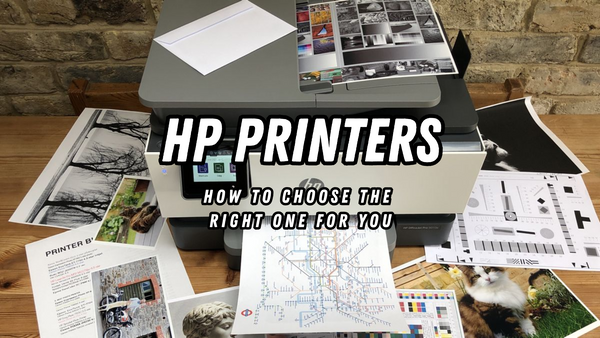
Choosing a printer isn’t as simple as it used to be. With so many models, features, and options to consider, it’s easy to feel overwhelmed! HP is one of the most popular printer brands - and it’s easy to see why.
I’ve tested a bunch of HP models over the years, and I can confidently say they’re some of the most reliable and intuitive models on the market.
In this guide, I’ll walk you through the key things to consider when picking the right HP printer, so you can find the perfect match for your needs without the guesswork.
How to Choose a HP Printer
I sometimes find the HP product range super overwhelming so I always recommend focusing on a few criteria to work out what will suit you best. In my opinion, it helps to focus on the essentials, such as how often you’ll be printing, what type of thing you’ll be printing, whether you need advanced features, and what’s most important to you. Here’s a breakdown to help guide you.
Should I get a laser or inkjet?
When it comes to picking between HP’s inkjet and laser printers, it’s all about knowing what each one does best. These two types use different technologies, which affects things like cost, speed, quality, and the type of printing they’re ideal for.
Inkjet printers
Inkjet printers are ideal if you need vibrant colour printing—especially for photos, presentations, or marketing materials. HP’s inkjet models often produce sharper, more saturated colours and are great for both text and graphics.
But in my experience, inkjet printers are generally a bit slower, so if you’re printing lots of pages in one go you may find them a tad on the leisurely side.
Laser printers
On the other hand, HP laser printers are known for their efficiency and speed, making them a popular choice for office environments where fast, high-volume black-and-white printing is a priority. Laser printers have lower long-term running costs for heavy users since HP toner cartridges last longer than ink cartridges.
If you’re frequently printing documents or require high-speed text output, a laser printer may be the most cost-effective and reliable choice. They have lower costs per page over time, which is great for high-volume printing, but they’re not quite as vivid with colours as inkjets.
Which one is better?
The bottom line is this: if you’re a creative or a photographer and really need sharp, high-quality colour printing, go with an inkjet printer like the HP Envy photo. On top of that, inkjet printers are usually a lot cheaper and smaller, so for those that want a compact, budget friendly option, go for an inkjet like the HP DeskJet.
On the other hand, if you’re focused on speed and need a workhorse for lots of documents, the LaserJet printer models like the LaserJet Pro will be best. It all depends on what you’ll be using it for most!
If you want to learn more about the differences between inkjet and laser printers, check out our blog!
Do you need All-in-One functionality?
HP’s all-in-one (AIO) models offer more than just printing—they include scanning, copying, and sometimes faxing. These models can be a game-changer for small offices or home setups that need versatile functionality in a single machine.
HP’s AIO printers are generally user-friendly and are great for saving space, especially if you work from home and don’t want multiple devices cluttering your desk. However, if you’re only printing and have no need for scanning or copying, you might save a bit of money and go for a simpler, print-only model.
Is it a better deal if it includes Instant Ink?
When shopping for a HP printer, you’ll find some ‘deals’ that include 3 months of an Instant Ink subscription. The thing is, Instant Ink isn’t the best choice for everyone, so it's worth knowing a bit about it before you get sucked in by a ‘free’ extra like this.
What is Instant Ink?
HP Instant Ink is a subscription service where you pay a monthly fee based on the number of pages you print rather than the number of ink or toner cartridges used.
Plans range from £1.49 per month for light home use to £25.49 per month for business needs. The subscription covers all your ink costs, and HP sends you new cartridges as soon as your printer senses it’s running low.
Key things to consider
- Page-Based Billing: HP Instant Ink counts each page printed, whether it’s a full-page image or a single line of text. This can mean that you’ll pay the same amount for printing a one-page receipt as you would for a photo print, which may not be ideal if you have varied print jobs.
- Overage Fees: If you exceed your monthly page limit, HP charges an extra £1 per additional 10 pages. This could add up if you frequently go over your page allowance.
- Usage Monitoring: When you sign up, HP monitors your printer remotely, tracking the pages you print and the type of content. While this may not be a concern for everyone, it’s worth knowing that HP is gathering data on your printing habits.
Does it really save money?
In my opinion, the savings really depend on how consistent your printing needs are. For light users, the basic plans may seem affordable. However, if your printing varies or if you frequently need extra pages, costs can rise quickly - often surpassing what you’d pay by buying third-party or recycled ink on demand.
My Instant Ink advice
If you find an HP printer at a lower price elsewhere without Instant Ink, I think it’s a better deal. Owning your ink cartridges gives you full control over your printing costs, while Instant Ink requires you to monitor your usage closely.
Honestly, if you’re unsure about your printing habits and need flexibility, buying your own ink when needed is usually a more cost-effective approach. I actually did a deep-dive on the advantages of HP Instant Ink, so definitely give that a read if you’re still on the fence.
Your preferences
Every user has their priorities, so think about what matters most to you. Do you print loads of long reports and need a machine with fast print speeds? HP has some speedy models that can handle bulk documents without slowing you down.
Or, perhaps photo quality is your top priority - in that case, HP’s photo inkjet printers are known for delivering crisp, high-resolution prints with excellent colour accuracy.
Whatever you decide, HP has options that suit a variety of needs and preferences. It’s all about weighing up what you can’t compromise on and finding the model that hits those key marks, whether it’s speed, quality, or added functionality.
Step-by-step questions
How often do you print?
Okay, so this might sound obvious, but I find that customers can often forget to think about it once they’re in the nitty gritty of reviews, prices, page speed etc. For occasional use, a budget-friendly inkjet or laser model works well, while daily high-volume printing calls for a robust laser printer with a low cost per page.
What type of documents do you print most? (Photos, text, mixed)
Different horses for different courses! Text-heavy documents are best on a monochrome laser, while photos require a photo-focused inkjet. Mixed document types suit versatile inkjet or colour laser printers, depending on your printing frequency.
Do you need scanning and copying capabilities?
If you need scanning, copying, or faxing, you’ll want to consider an all-in-one model like HP’s OfficeJet or LaserJet Pro series.
What’s your budget for the printer and on-going ink/toner?
Laser printers cost more upfront but are economical long-term, so better for heavy office use. Inkjets are great for occasional printers on a budget. Consider the cost of the consumables as well as if it’s possible to buy recycled HP ink cartridges or toner cartridges rather than just the genuine originals.
Our Expert Review of Popular HP Printer Models
HP DeskJet Pro
Specs
Type: Inkjet
Price: Budget-friendly, generally between £50 - £120.
Print Speed: Up to 20 ppm for black and 10 ppm for colour.
Print Resolution: Up to 4800 x 1200 dpi, suitable for clear text and good colour output.
Monthly Duty Cycle: Up to 1,000 pages
Features: Basic all-in-one functionality (print, scan, copy), wireless printing, mobile printing, compact design.
Pros
- Affordable: Great value for budget-conscious users needing essential printing and basic functions.
- Compact design: Small footprint, ideal for home use or tight spaces.
Cons
- Slower for high-volume tasks: Not ideal for heavy document printing due to slower speeds.
- Higher ink costs over time: Though budget-friendly initially; frequent colour printing can lead to higher ink expenses.
My recommendation
This will be your go-to model if you just need an ‘occasional’ printer. I recommend the DeskJet for those that aren’t too fussed about printing speed but just need something small and affordable at home to copy receipts or print a form out now and again.
HP Envy
Specs
Type: Inkjet
Price: Mid-range, generally around £80 - £150, depending on the model.
Print Speed: Approximately 10 ppm (pages per minute) for black and 7 ppm for colour.
Print Resolution: Up to 4800 x 1200 dpi, delivering crisp and vibrant images.
Monthly Duty Cycle: Up to 1,000 pages
Features: Borderless photo printing, specialised photo printing modes, wireless and mobile printing capabilities, all-in-one functionality (print, scan, copy).
Pros
- Great for photos: Produces high-quality photo prints with vibrant colours and sharp details.
- Compact size: Fits easily on a desk or shelf, perfect for home users with limited space.
Cons
- Slower for text-heavy documents: Not the fastest option for large volumes of text printing, making it less ideal for document-heavy use.
- Not suitable for heavy use: While made with HP’s signature reliability and high quality materials, the Envy series is not designed for high-volume printing.
My recommendation
Okay, so the Envy is essentially a step up from the DeskJet. If you’re looking to print family photos as well as the odd document, the Envy is the model for you. The Envy series features borderless printing, photo printing modes and a wider paper compatibility range than the DeskJet, so the result is going to be much better.
Something to keep in mind is that if you’re printing a lot of photos, ink costs are going to add up even though the initial cost of the printer is cheap. I always recommend thinking about the ongoing cost of the printer when making a purchase decision. If you’d like more information about OEM and recycled cartridge costs, check out our HP Ink Cartridges.
From my tests, the print quality is noticeably better than the DeskJet too, so that’s something to keep in mind. Basically, it’s a great, compact printer at a decent price but with a few more bells and whistles than the most basic models.
HP OfficeJet Pro
Specs
Type: Inkjet
Price: Mid-range, typically between £120 - £250 depending on features.
Print Speed: Up to 24 ppm for black and 20 ppm for colour.
Print Resolution: Up to 4800 x 1200 dpi, providing sharp text and vibrant colour prints.
Monthly Duty Cycle: Up to 2,000 pages
Features: All-in-one functionality (print, scan, copy, fax), wireless and mobile printing, automatic duplex printing.
Pros
- Multifunction: Combines printing, scanning, copying, and faxing, making it ideal for small businesses and home offices.
- Balanced for text and colour: Delivers strong performance for both document printing and colour graphics.
Cons
- Maintenance can be complex if heavily used: High-volume use may lead to more frequent maintenance and occasional ink replacement delays.
My recommendation
The OfficeJet is what I would recommend for home businesses or even as an occasional small office printer.
The duty cycle, print speed, fax capabilities and automatic duplex printing make the model well suited for higher volume printing. If you try to use the Deskjet or Envy in the same way, you’re going to run into maintenance issues and high ink costs pretty fast.
The OfficeJet is also bulkier than the last two models I’ve mentioned, so it’s better suited for an office environment where you (hopefully) have more space.
In my experience, the OfficeJet is a great mid-range series for customers looking for something more durable. If you think you’re caught right in the middle of home office and small business printing, read my in-depth comparison of Envy and OfficeJet to get a better idea!
HP LaserJet Pro
Specs
Type: Laser
Price: Mid to high range, typically around £150 - £300, depending on the model and features.
Print Speed: Up to 40 ppm (pages per minute) for black and white, with some colour models offering around 22 ppm.
Print Resolution: Up to 1200 x 1200 dpi for sharp text and graphics.
Monthly Duty Cycle: Up to 4,000 pages (varies by model, some go higher)
Features: Fast, high-volume printing; wireless and mobile printing options; automatic duplex (double-sided) printing; and models with scan, copy, and fax capabilities.
Pros
- Fast printing: Delivers rapid print speeds, ideal for document-heavy environments.
- Low cost per page: Laser printing is generally more cost-effective for high-volume printing.
Cons
- Higher upfront cost: Laser printers often have a higher initial purchase price.
- Less suited for photo printing: Optimised for text and graphics, but not ideal for high-quality photo output.
My recommendation
Okay, so you can probably tell just from the specs what I’m going to say. For medium-large offices and enterprise customers, I recommend the LaserJet.
With a huge duty cycle, ultra-fast print speed and higher paper tray capacity, this model is an absolute workhorse. Now, this does slightly sacrifice print quality and in complex colour graphics this is a noticeable difference compared to the OfficeJet.
So, this model is best for businesses that work mainly in high-volume documents and reports that don’t require laser-sharp detail.
Being a laser model, this printer has a higher initial investment cost. But, the toner replacement is going to be much cheaper than the ink for inkjet models, so when you’re printing in quantity it’s totally worth it in the long run.
Top HP Printer Recommendations by User Needs
Home users
Recommended Series: The HP DeskJet series
Why? This model provides an affordable and well-rounded mix of features, balancing cost, print quality, and ease of use for casual, everyday printing.
Small business owners
Recommended Series: The HP OfficeJet Pro series
Why? They’re designed for multitasking with print, scan, copy, and fax functions. With quick print speeds and efficient operation, these models are reliable and cost-effective.
Large offices
Recommended Series: HP LaserJet Enterprise series
Why? These models offer powerful scalability and high-speed output, tailored for large teams and heavy printing demands. They feature large-capacity trays, robust security options, and highly efficient performance, ideal for handling high-volume tasks and supporting multiple users seamlessly.
Creative professionals
Recommended Series: HP Envy Photo series
Why Choose These? These models offer precise colour accuracy and depth, making it an ideal choice for photographers, designers, and artists. They will consistently deliver high-quality prints that meet professional standards.
Key Takeaways
With HP’s huge range of printers, there’s always a model for whatever your needs. Just remember to take into account our buying checklist. Don’t get swept up by the fancy marketing tactics and think about what you really need! It’s all about balancing what’s most important to you.
If you’re still not sure which HP printer would be the best fit, get in touch with IJT.
Blog Author: Simon Cross is the engaging and knowledgeable voice behind the insightful articles on printers and printer consumables at IJT Direct, an ecommerce store renowned for its comprehensive selection of printers, printer consumables, and hardware. View Simons author page to find out more about him.
Browse Our Top Ink Cartridges