
signup
Enter your email address and receive all updates!
HP 304 Ink
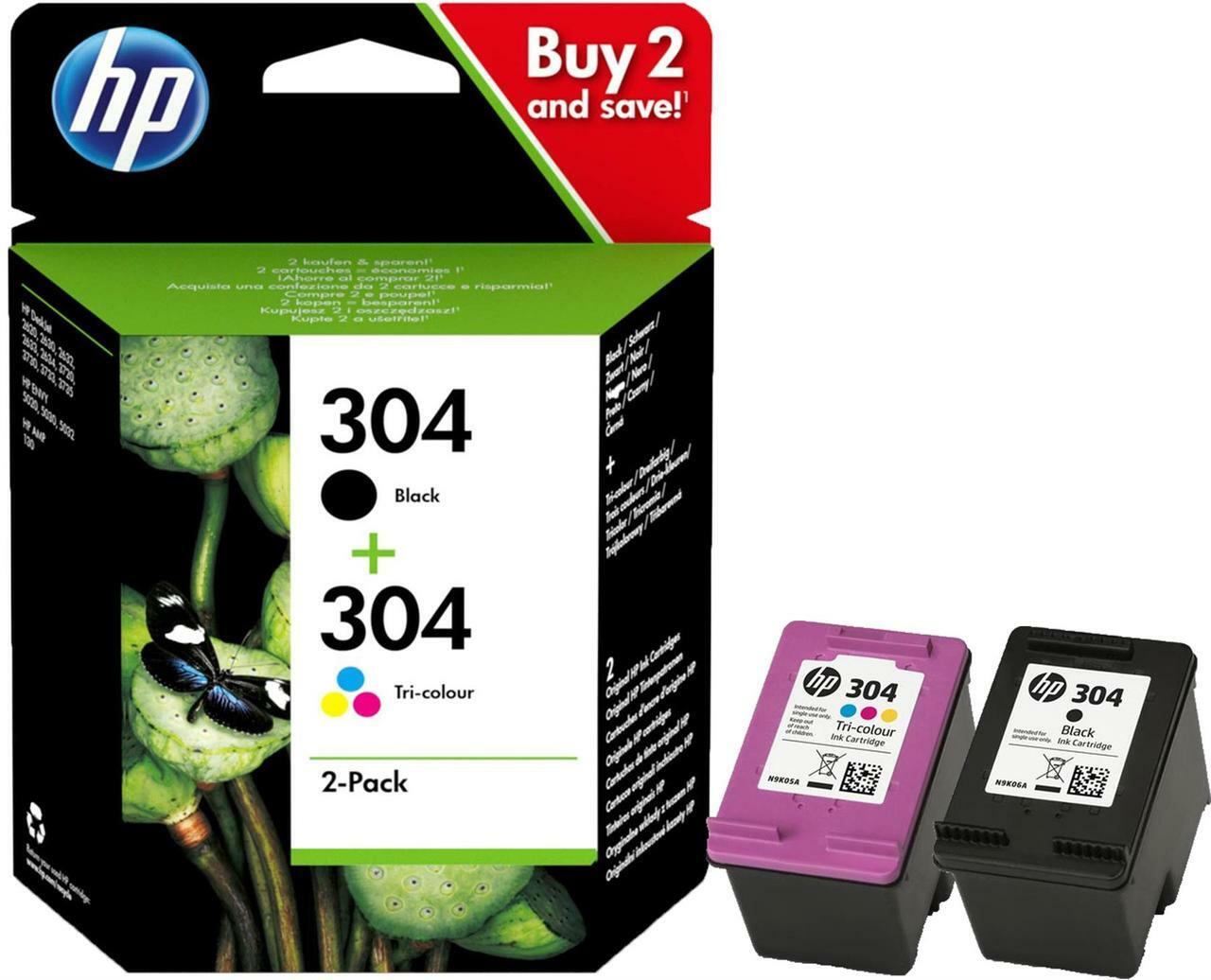
HP 304 ink is a popular choice for users looking for reliable and high-quality printing every time, at an affordable price. You'll find compatibility with a wide range of HP DeskJet and HP Envy printers, combined with HP 304 ink cartridges to deliver sharp text and vibrant colour images. Regardless of the print job, HP 304 ink ensures the best results each and every time making them ideal for home and small office use.
HP 304 Ink Comparison
| HP Original 304 Ink (XL) | IJT Recycled 304 Ink (XL) | |
| Warranty | 6-12 Months | 5 Years |
| Price | from £27.31 | from £19.95 |
| Longevity | Up to 18 Months | Up to 5 Years |
| Yield | 300 Pages (Black), 300 Pages (Tri-Colour) | 300 Pages (Black), 200 Pages (Tri-Colour) |

HP INK CARTRIDGE WARRANTY - HP Original ink cartridges are supplied with a 12 month warranty while IJT Recycled HP 304 ink cartridges are supplied with an industry leading 5 Year Warranty

FAST UK DELIVERY. NEXT DAY COURIER DELIVERY AVAILABLE - All orders of HP 304 ink cartridges are shipped same working day if placed before 3pm

LOWEST PRICES - IJT have the best quality HP 304 ink and the lowest prices in the UK. Save money on HP OEM ink

RECYCLE YOUR HP 304 INK - Visit our Recycling Page for more information. Do your bit to save the planet and buy IJT Recycled ink
HP 304 Ink Product Overview

HP 304 ink cartridges are praised for their consistent and top-notch printing quality, fitting perfectly with a wide array of HP printers. They're the ideal pick for your everyday printing needs. The black cartridge is a sure-fire choice for crisp, clear text in documents, while the tri-colour version brings out rich, lively colours in photos and graphics, making everything pop.
These cartridges are known for their durability and smart ink usage, offering a cost-effective print solution for both the home and office. With two yield options available, HP 304 ink cartridges help you save more and print efficiently, no matter the volume of your printing tasks.
Swapping out HP 304 ink cartridges couldn't be easier, thanks to a straightforward process that's simple to follow, requiring just a few quick steps and zero technical expertise. This user-friendly approach ensures you can keep your printer running smoothly, churning out impressive prints without any hassle.
HP 304 Ink Printing Tips and Tricks
For the best results with HP ink 304 cartridges, it is recommended to use:
Paper Quality: Choose premium, heavyweight paper when printing photos and important documents for the best print results. Regular printer paper is fine for day-to-day text documents.
Printer Settings: To make the most of your 304 HP ink, switch to 'High Quality' for detailed prints and 'Draft' or 'Standard' for everyday paperwork. This helps you use ink more efficiently.
Cartridge Care: Store any extra HP 304 ink cartridges in a place that's both cool and dry. Make sure to use them before the expiration date to keep your print quality top-notch.
Regular Use: Keep your printer in action regularly. This prevents the ink from drying up and keeps the print nozzles clean, ensuring you always get clear, high-quality prints.
HP 304 Frequently Asked Questions
How do I correctly install a HP 304 ink cartridge?
Turn on your HP printer, open the access door, and wait for the carriage to stop. Unpack the HP ink 304 cartridge, remove and packaging and protective tape and insert the cartridge into its slot until it clicks into place.
How do you resolve print quality problems with HP 304 ink?
Run the printer's cleaning cycle if prints are streaky or faded. Ensure all HP 304 cartridges are properly installed and not depleted. If issues persist, consider replacing the HP 304 ink cartridge.
What models of HP printers work with HP 304 ink cartridges?
HP 304 ink cartridges are compatible with the following printers:
HP Deskjet 2600 Printer
HP Deskjet 2620 Printer
HP Deskjet 2622 Printer
HP Deskjet 2630 Printer
HP Deskjet 2632 Printer
HP Deskjet 2633 Printer
HP Deskjet 2634 Printer
HP Deskjet 3720 Printer
HP Deskjet 3730 Printer
HP Deskjet 3732 Printer
HP Deskjet 3733 Printer
HP Deskjet 3733 All-In-One Printer
HP Deskjet 3735 Printer
HP Deskjet 3750 Printer
HP Deskjet 3760 Printer
HP Deskjet 3762 Printer
HP Deskjet 3764 Printer
HP Envy 5010 All-in-One Printer
HP Envy 5020 All-in-One Printer
HP Envy 5030 All-in-One Printer
HP Envy 5032 All-in-One Printer
HP Envy 5050 All-in-One Printer
HP Envy 5000 All-in-One Printer
How should I dispose of or recycle my empty HP 304 ink cartridges?
Don't throw away your empty cartridges, save them from landfill and help save the environment by recycling them. Our Recycled page has loads of useful info on how to responsibly dispose of your used 304 ink cartridges.
How do I make my HP 304 ink cartridge last longer?
Optimise your print settings by using 'Draft' mode for documents that are less critical to save ink. Keep any cartridges you're not using in the right conditions and make sure to use them up before they expire.
How can I tell the difference between HP 304 Black and Tri-Colour ink cartridges?
The black HP printer ink 304 is used for printing black and white documents and is physically black in colour, while the tri-colour cartridge combines cyan, magenta, and yellow for colour printing and is physically purple in colour.
What should I do if my printer doesn't recognise the HP 304 cartridge?
Remove the cartridge, check for any protective tape left, and clean the contact points gently with a lint-free cloth before reinserting.
How do I check the ink levels of my HP 304 ink cartridges?
Check ink levels through your printer’s control panel or software. Some printers also display ink levels on the computer when a print job is initiated.
What our customers are saying
View all ›Applied: