
HP Envy vs HP OfficeJet: Which Printer Series Is Right for You?
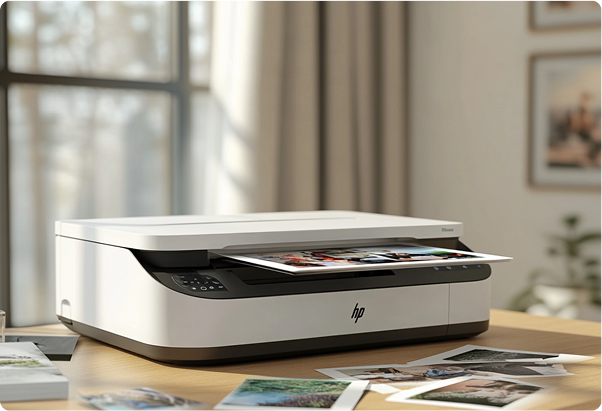
HP Envy
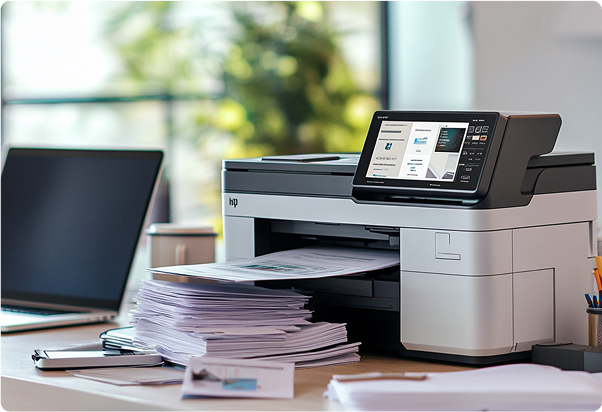
HP OfficeJet
The HP Envy is perfect for home users who prioritise photo printing and light occasional document tasks, while the HP OfficeJet is designed for small businesses or home offices that need fast, efficient, multi-page document handling.
The Envy is a more budget-friendly option with great print quality for photos, but it lacks advanced features like multi-page scanning or faxing. The OfficeJet provides all-in-one functionality, including automatic duplex printing, high paper capacity, and high-yield HP ink options, making it ideal for heavier workloads.
Overall, choose the Envy for photos and casual use, or the OfficeJet for business and high-volume printing.
If you want to know more about Canon Pixma TS8750 inkjet printer then make sure to check out my last blog.
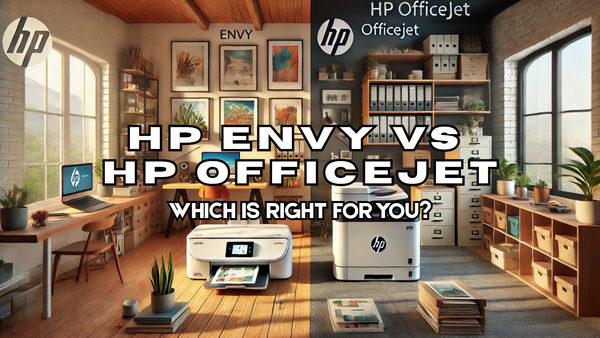
In this blog I'm talking about HP Envy vs HP OfficeJet – two heavyweights in the HP line-up that might seem pretty similar at first glance but are actually designed for very different needs.
HP Envy is the go-to for home users who love printing the occasional document or photo (especially if you’ve got a smartphone full of family pics). Meanwhile, HP OfficeJet is perfect for small businesses or home offices where speed, efficiency, and versatility are key.
Let’s dive into the nitty-gritty of these two series so you can figure out which printer will best suit your needs!
Print Quality
Okay, let’s talk print quality first because this is one of the biggest considerations for a lot of people and rightly so!
If you’re all about those crisp, vibrant photos, the HP Envy is your go-to. It’s designed to make your snapshots and family pics look like they were professionally printed. The colours pop, the details are sharp, and the overall quality is pretty impressive, even compared to some higher end models I’ve tested.
On the flip side, the HP OfficeJet is all about getting business done, fast and efficiently and that sacrifices the quality of the print. For contracts or reports the quality is exactly where you need it, but it just won’t produce the same quality as the Envy when it comes to photos or any complex graphics.
In short:
- HP Envy = Your best bet for stunning photos and graphics with high-quality colour and detail.
- HP OfficeJet = Better for everyday document printing rather than high-quality photos or graphics.
Print Speed
When it comes to print speed, I like to test the printed pages per minute to get a better idea of the printer’s abilities. Envy and OfficeJet series both offer solid performance, but there are some notable differences that make the OfficeJet the go-to option for handling more demanding tasks like multi-page documents.
HP Envy Print Speed
The Envy series is designed more for home users who need a reliable printer for everyday tasks like printing homework, recipes, or photos. It's great for occasional use but isn't built to handle large volumes as quickly as the OfficeJet.
- Black and White (Mono) Speed: Around 10 pages per minute (ppm)
- Colour Speed: Roughly 7 ppm
While the Envy printers can handle both documents and photos well, it's best suited for light to moderate printing tasks. If you're printing photos or smaller batches of documents, it’s a solid choice, but if you need to print a ton of pages, you’re going to notice it's not as speedy.
HP OfficeJet Print Speed
The OfficeJet is designed for business use, where speed and capacity matter. If you need to print reports, contracts, or multi-page documents, this is where the OfficeJet shines.
- Black and White (Mono) Speed: An impressive 20-30 ppm, depending on the model
- Colour Speed: Around 15-20 ppm
The OfficeJet’s standout feature is its ability to churn through multi-page documents effortlessly.
Key Takeaways:
If you’re after quick and efficient multi-page document printing, the OfficeJet is the clear winner with faster print speeds and higher capacity, making it perfect for business or frequent users.
The Envy, while still a solid performer, is more suited for light, casual printing tasks. So, if speed and handling bigger workloads are important to you, OfficeJet is the way to go!
Price
HP Envy Cost
The Envy series is generally more budget-friendly, making it a great option for home users or light print needs. These printers typically range from £70 to £150 depending on the features and model.
The Envy series uses standard capacity cartridges, which are fine for lower volumes of printing but can add up quickly if you're printing more regularly. Per page, you’re looking at 6-8p in black and white, and 11-13p for colour.
All things considered, the cost of the Envy is ideal for those who want a versatile printer for occasional use, like printing photos or school assignments, without a hefty upfront investment.
HP OfficeJet Cost
OfficeJet printers are a bit more expensive upfront but for good reason—they’re designed for higher-volume printing and more demanding environments, like offices.
You can expect to pay between £120 to £250, depending on the model and features (like whether it includes scanning, faxing, or high paper tray capacity). While the initial cost is higher than the Envy, it pays off for users who need consistent, fast, multi-page document printing.
One of the biggest advantages of the OfficeJet series is the option to use high yield cartridges, which offer a lot more pages per cartridge at a lower cost per page. For black and white, expect to pay 2-3 pence per page, and 4-5 for colour.
Paper Handling
- Compare paper tray capacity between Envy and OfficeJet and support for various paper types and sizes.
- Highlight OfficeJet’s advantage for multi-page scanning and faxing.
HP Envy Paper Handling
Okay, so by now you’ll know the Envy series is designed for home use and light printing tasks, which means it also has a more modest paper capacity.
- Paper Tray Capacity: Typically holds 100 sheets of plain paper.
- Output Tray: Around 25 sheets.
HP OfficeJet Paper Handling
The OfficeJet series is built for business or high-volume home use, so its paper trays are much more accommodating.
- Paper Tray Capacity: Can hold up to 250 sheets of plain paper, making it more efficient for larger print jobs without frequent reloading.
- Output Tray: Around 60 sheets.
This higher capacity, combined with automatic document feeders (ADF), makes the OfficeJet far better suited for multi-page document handling and longer print jobs.
Unlike the Envy, the OfficeJet also supports larger paper sizes (like legal paper) and heavier paper types. This versatility makes it ideal for business users who need to print on different materials for various purposes.
Features
HP Envy Features
The HP Envy is a simple, stylish range of printers made for light tasks at home. It’s perfect if you mostly need printing, with a most models offering scanning and copying but not all.
One of the standout features for me is the mobile printing feature, making it a breeze to print from your phone or tablet. I also liked the borderless printing feature, which is just perfect for photo prints.
Just keep in mind this printer isn’t built for heavy workloads so it lacks additional features like multi-page scanning or and automatic document feeding.
HP OfficeJet Features
The HP OfficeJet is a true workhorse, perfect for offices or anyone with higher demands. It’s a full all-in-one machine that handles printing, scanning, copying, and faxing.
My favourite advanced features on the OfficeJets are the automatic duplex printing, an automatic document feeder (ADF), and multi-page scanning. These features set it apart from the Envy and show that it’s ready to tackle larger, multi-page tasks with ease.
My Final Thoughts
Ultimately the choice between the HP Envy and HP OfficeJet comes down to what you need from your printer. If you're a home user who enjoys printing the occasional document or family photo, I would recommend the buying one of the HP Envy series printers.
It’s budget-friendly, compact, and delivers beautiful photo prints with ease. Its mobile printing and sleek design make it a great fit for casual use. However, it’s not built for heavy workloads, so if you print a lot of documents or need features like multi-page scanning or faxing, it might feel limited.
On the other hand, if you're running a small business or need a printer for a home office, I really think the HP OfficeJet series is the better choice.
They are the workhorses, with faster speeds, higher paper capacity, and office-ready features like automatic duplex printing, multi-page scanning, and faxing. The cost per page is lower in the long run, especially with high-yield cartridges, making it more efficient for larger volumes.
So, my recommendation? Go with the Envy if your focus is photos and light home use. But if you need a printer that can keep up with your business or frequent document printing, the OfficeJet series is the way to go!
Blog Author: Simon Cross is the engaging and knowledgeable voice behind the insightful articles on printers and printer consumables at IJT Direct, an ecommerce store renowned for its comprehensive selection of printers, printer consumables, and hardware. View Simons author page to find out more about him.
Browse Our Top Ink Cartridges